Research & Product Design to Optimize Course Enrollment

Research & Product Design to Optimize Course Enrollment

Research & Product Design to Optimize Course Enrollment

Redesign

Redesign

Product Design Lead

Product Design Lead

UX Research Lead

UX Research Lead

A/B Testing

A/B Testing

A classroom table with a laptop and phone displaying the redesigned assignment workflow

Overview

I led the research and design of key pages in the enrollment flow for the Ed2Go Advanced Career Training courses.

The team had a goal to increase course enrollment, I used research to determine key areas to focus on built prototypes and ran unmoderated tests to validate solutions.

Full case study available upon request

ROLE

Lead User Experience Designer & Researcher

RESPONSIBILITIES

Heuristic evaluation & competitive analysis

End-to-end design

Planned, executed, and synthesized findings

TEAM

2 UX Designers, 2 Product Managers, 3 Product Marketers

Key Results

+52%

course enrollments

Key Results

+52%

course enrollments

Approach

Heuristic Evaluation

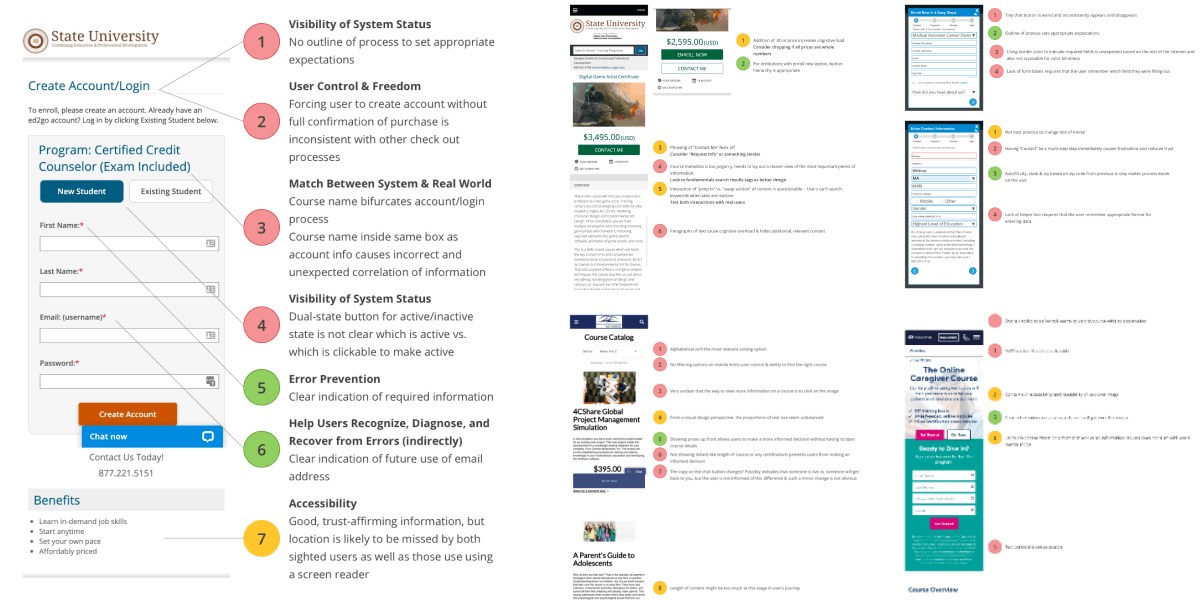
I used NNG's 10 Usability Heuristics to evaluate current Ed2Go site as well as its top competitors, which surfaced the checkout flow and course pages as critical redesign priorities.
Redesign Checkout Flow

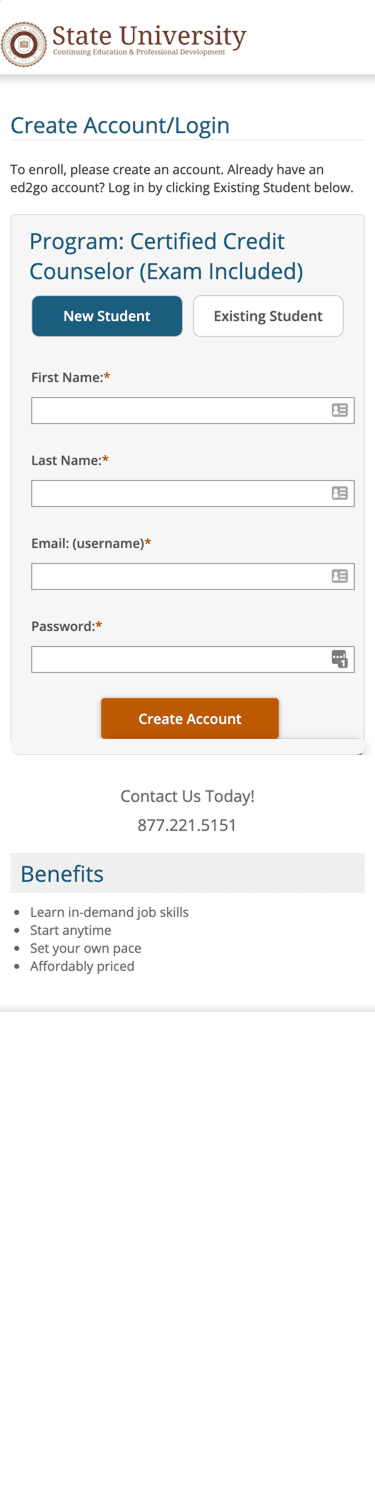
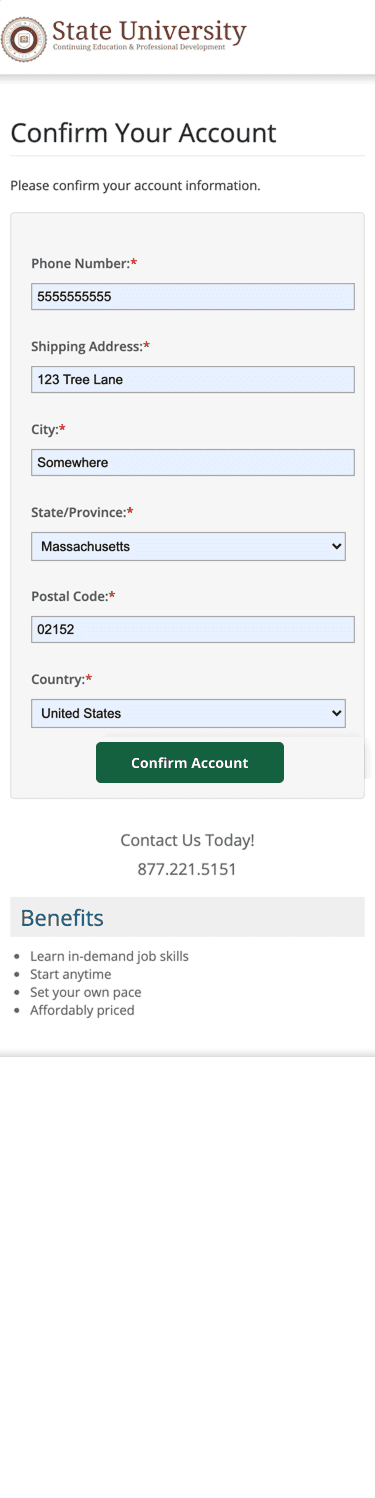
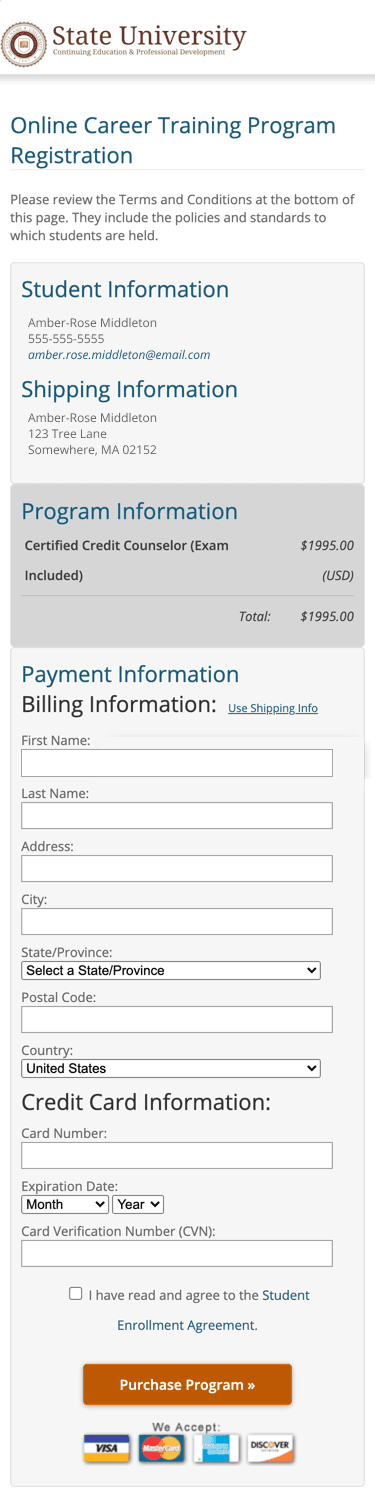
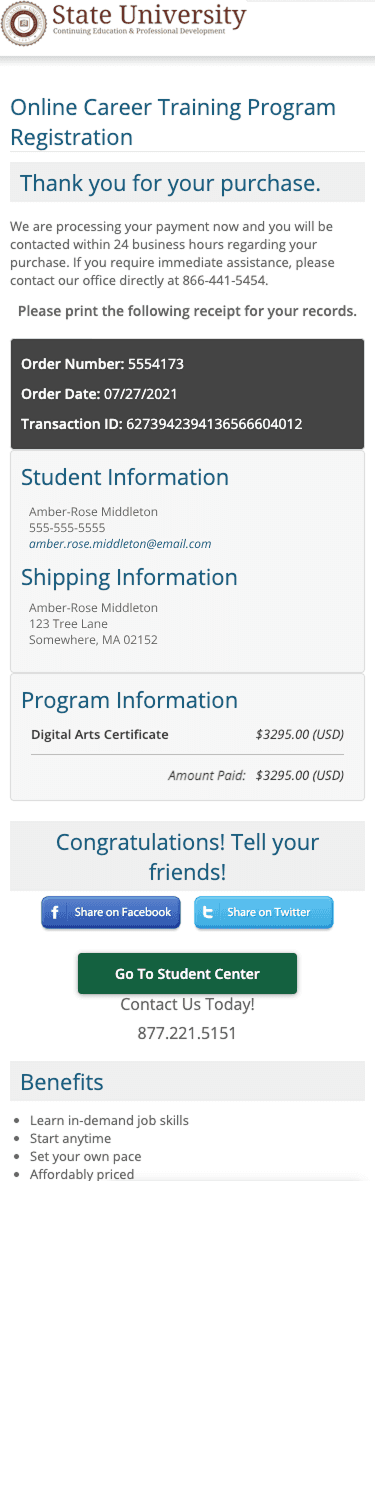
The original checkout flow lacked sufficient confirmations, visibility, and logical information architecture.
A paper sketch of the new design that has gradebok category on the left and on the right is the assignment details with a divider to show the interaction when a teacher selects in individual students and sees a list of all students in the class

Users were brought directly into account creation with no summary of purchase beyond the course name; no password requirements displayed to user
A paper sketch of the new design that has gradebook category on the left and on the right is a section with assignment details and an option to add another assignment detail block

"Confirm Account" button does not indicate that there is another step coming; title of page is unclear of its actual purpose (to know where to ship any physical materials)
A paper sketch of the new design that has gradebok category on the left and on the right is the assignment details with a divider to show the interaction when a teacher selects in individual students and sees a list of all students in the class

Showing a summary is good to ensure correct information is present, but it takes up a lot of space and does not provide a way for users to go back and edit
A paper sketch of the new design that has gradebok category on the left and on the right is the assignment details with a divider to show the interaction when a teacher selects in individual students and sees a list of all students in the class

Primary CTA to go to student center is buried at the bottom of the page past social media buttons

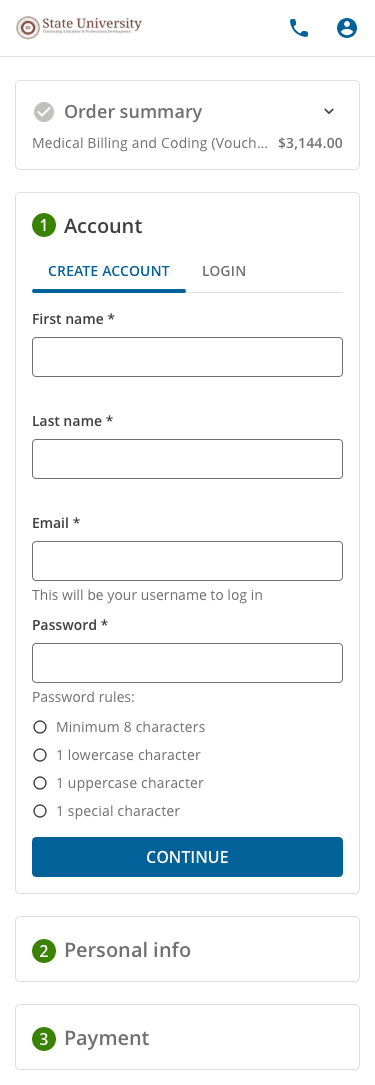
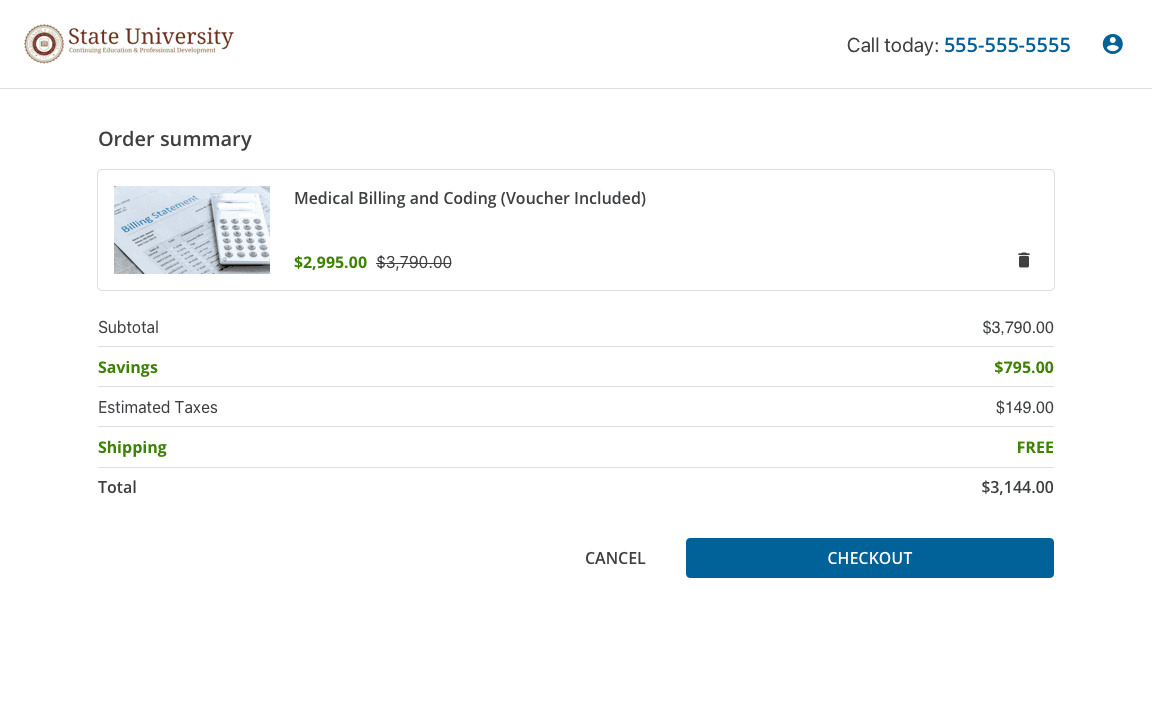
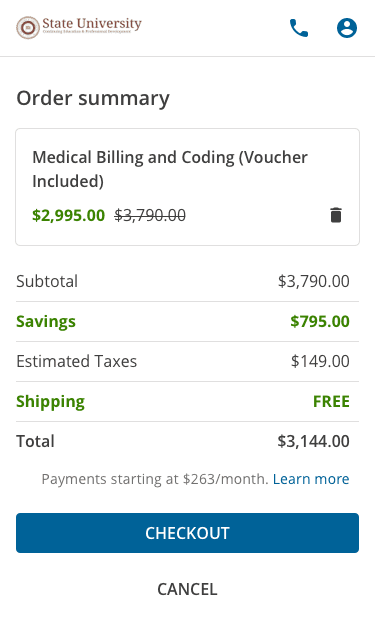
To improve clarity and trust, I introduced a purchase summary page before the login screen, allowing users to review their order details first.
A paper sketch of the new design that has gradebook category on the left and on the right is a section with assignment details and an option to add another assignment detail block
A paper sketch of the new design that has gradebok category on the left and on the right is the assignment details with a divider to show the interaction when a teacher selects in individual students and sees a list of all students in the class

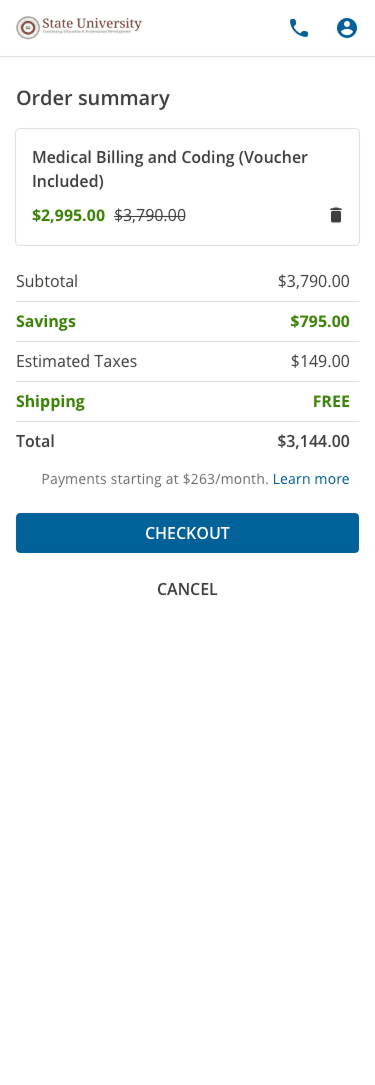
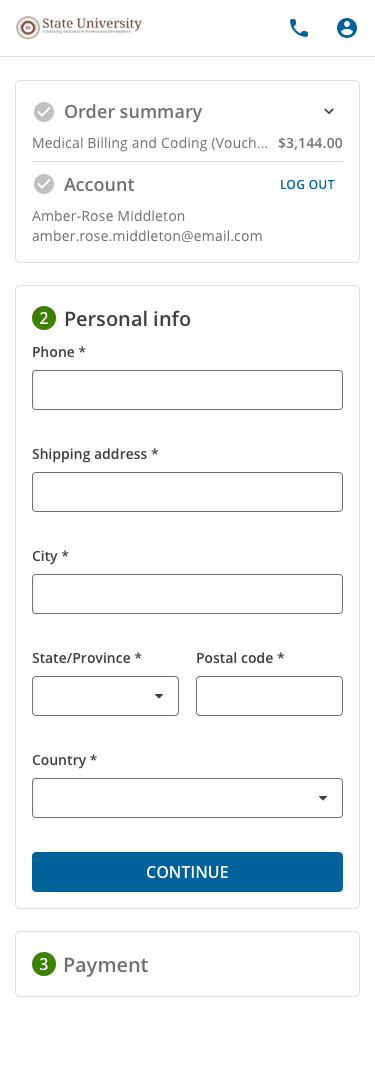
To encourage completion and reduce friction, I redesigned the checkout flow with visible steps and prominent calls-to-action.
A paper sketch of the new design that has gradebook category on the left and on the right is a section with assignment details and an option to add another assignment detail block

Start with detailed summary

A paper sketch of the new design that has gradebok category on the left and on the right is the assignment details with a divider to show the interaction when a teacher selects in individual students and sees a list of all students in the class

All previous and future steps are visible
A paper sketch of the new design that has gradebook category on the left and on the right is a section with assignment details and an option to add another assignment detail block

Consistent buttons when checkout in progress
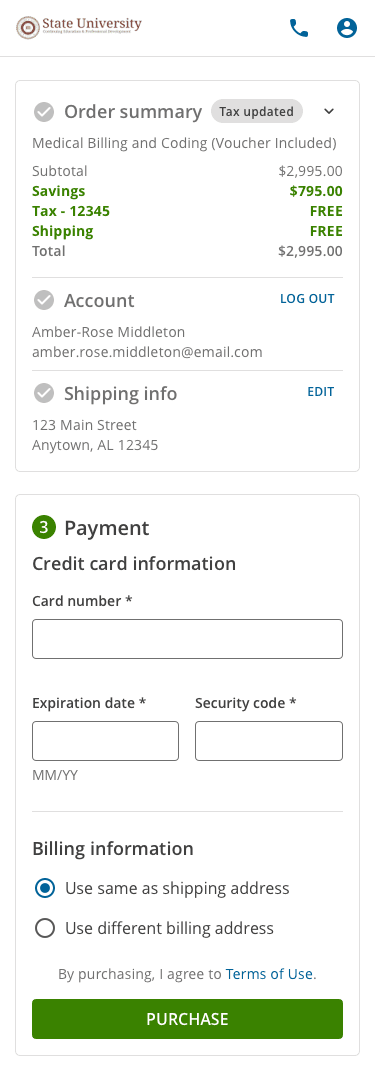
A paper sketch of the new design that has gradebok category on the left and on the right is the assignment details with a divider to show the interaction when a teacher selects in individual students and sees a list of all students in the class

Final button has different text and color; option to edit previously-entered information
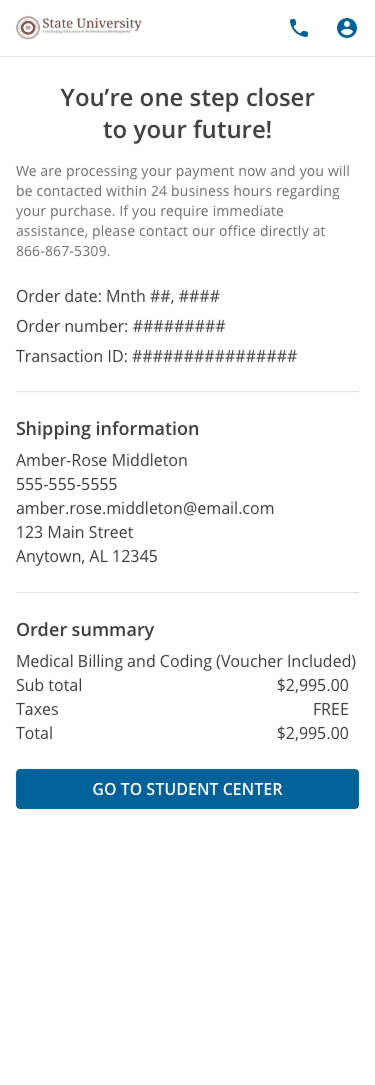
A paper sketch of the new design that has gradebok category on the left and on the right is the assignment details with a divider to show the interaction when a teacher selects in individual students and sees a list of all students in the class

Completed purchase shows encouragement and next steps

Baseline Research

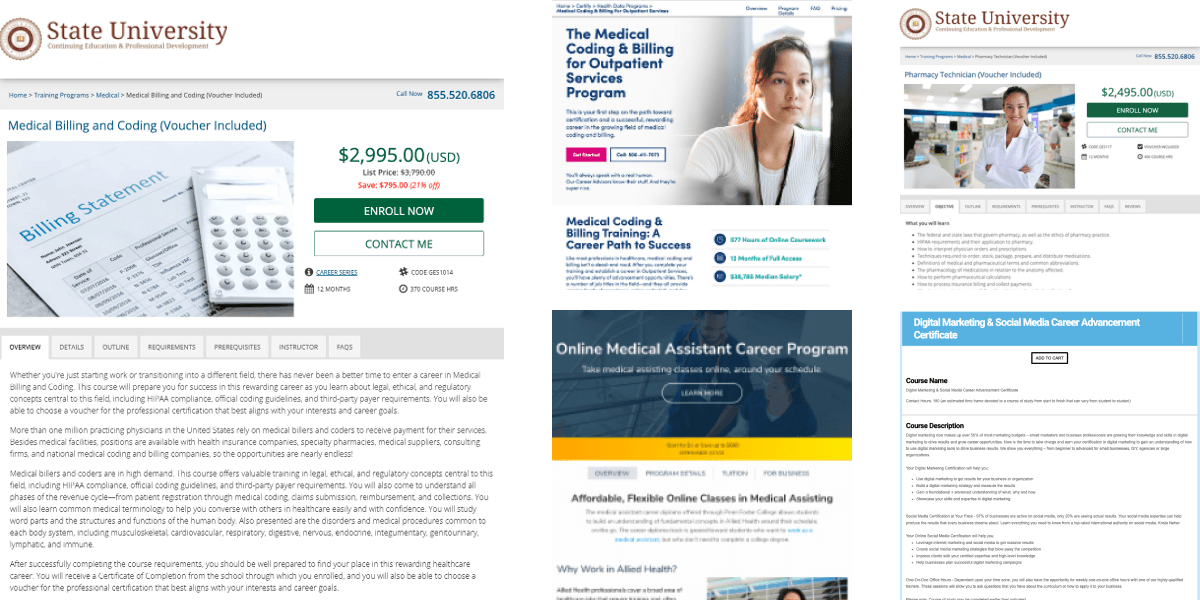
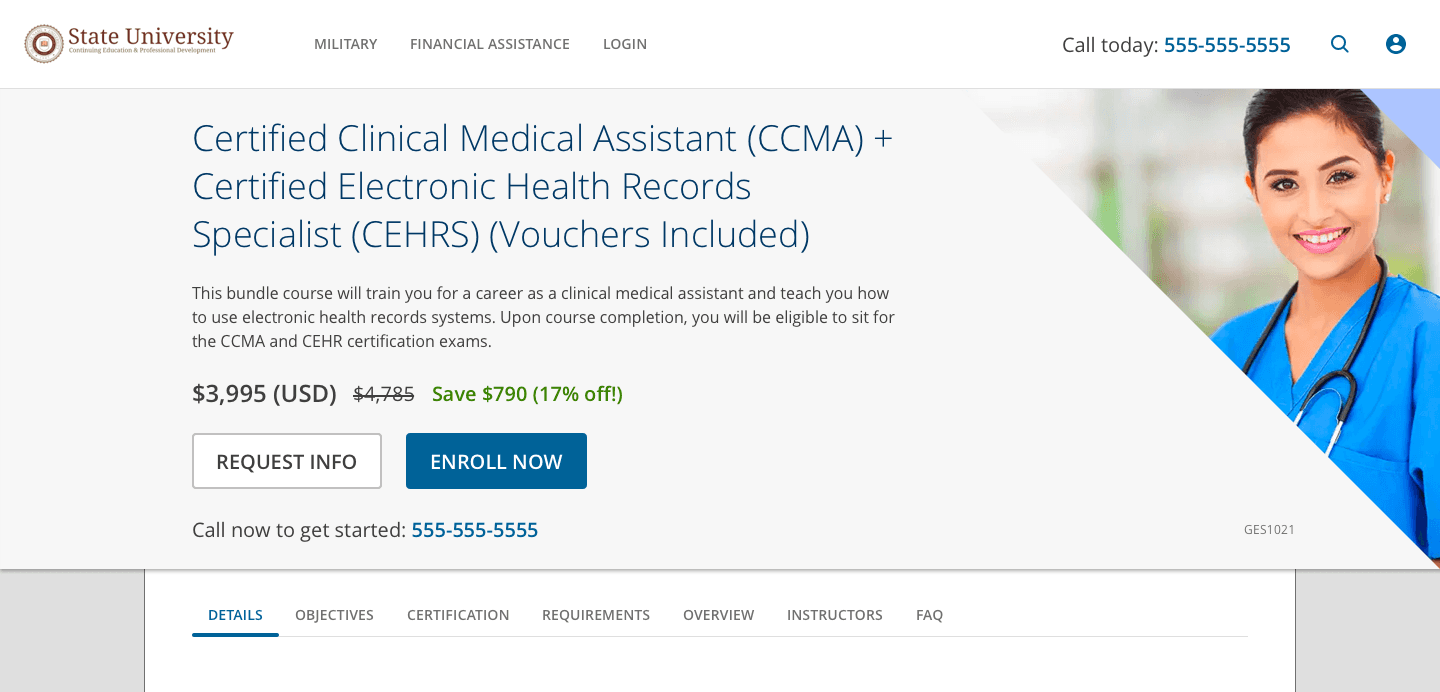
I conducted and unmoderated 5-second test with 25 participants comparing 2 Ed2Go pages agains 3 competitors, finding that 84% recalled seeing at least one CTA (outperforming competitors), though participants described the Ed2Go pages as outdated.
A paper sketch of the new design that has gradebook category on the left and on the right is a section with assignment details and an option to add another assignment detail block

Prototype, Test, Iterate

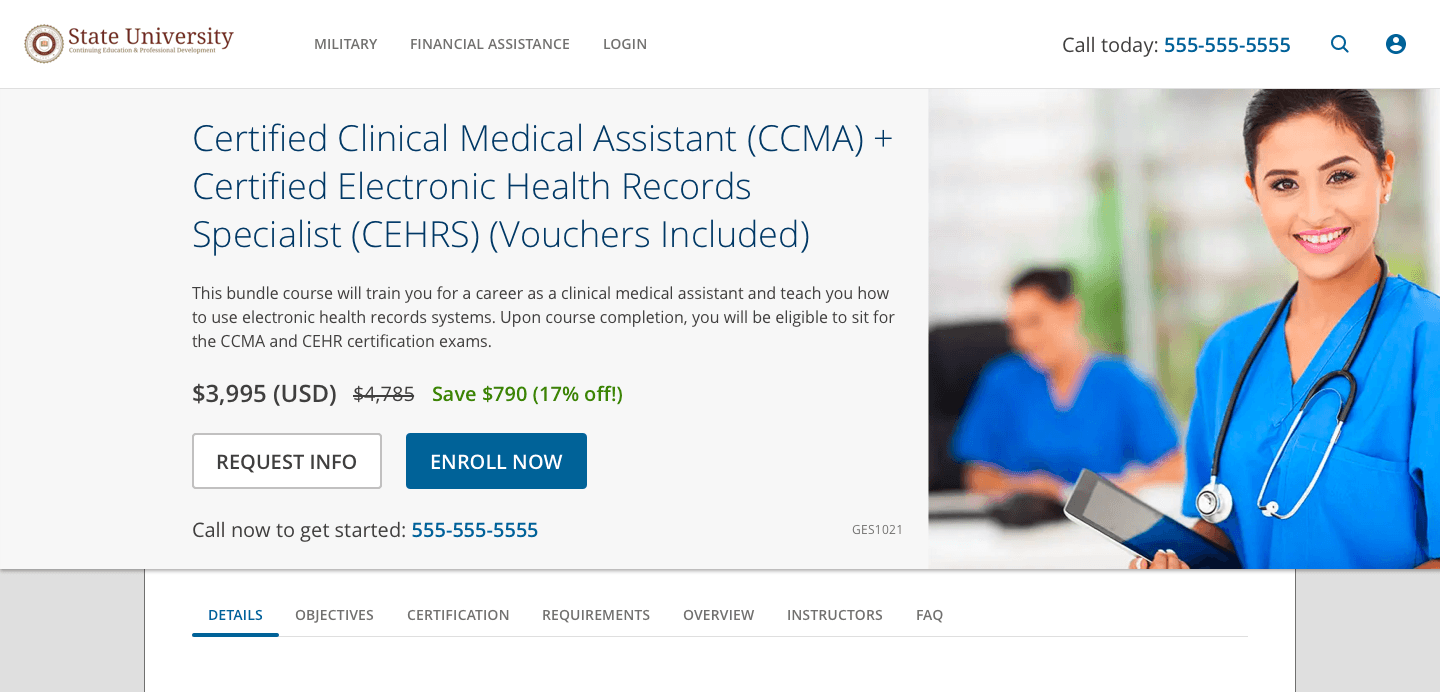
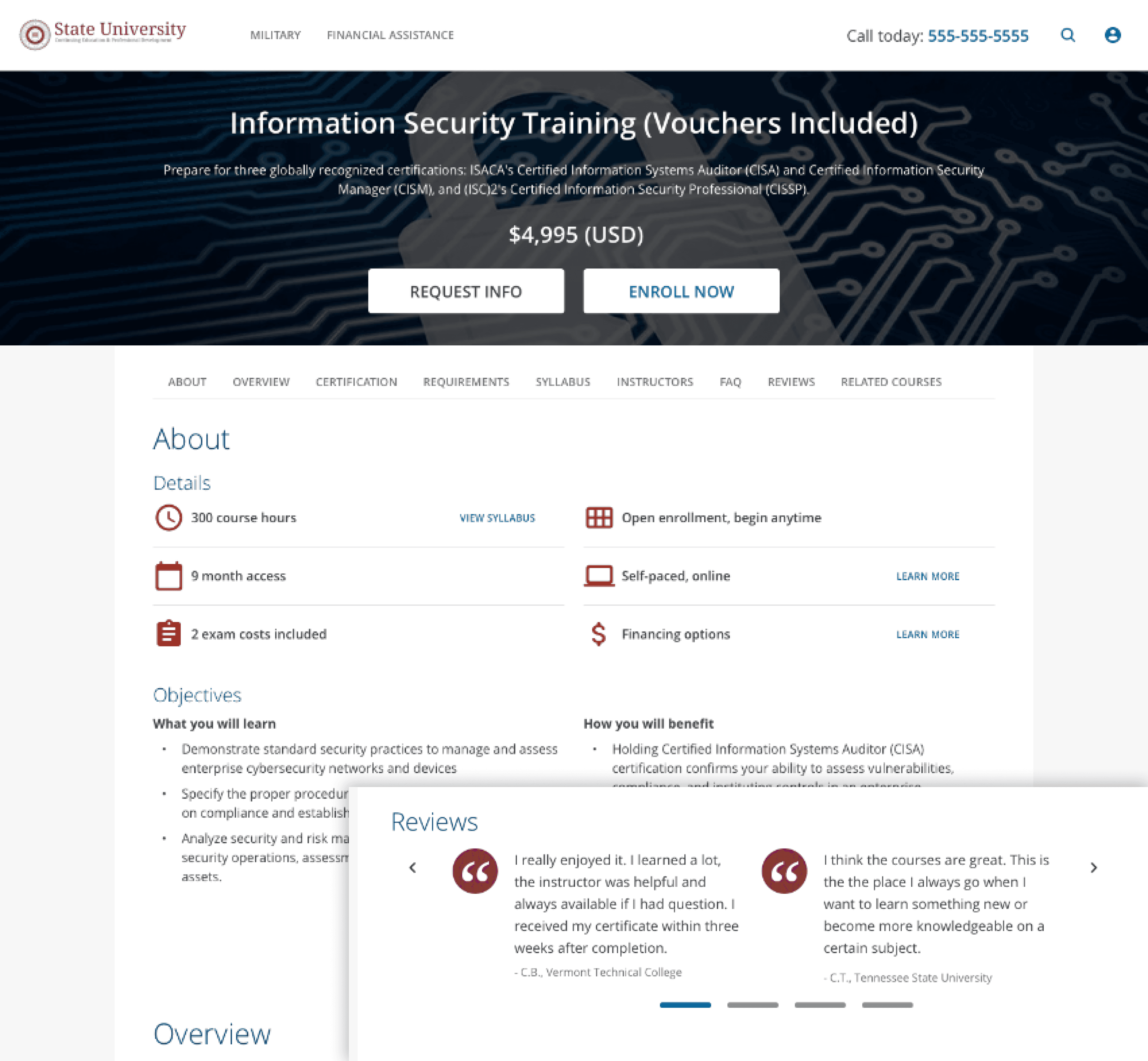
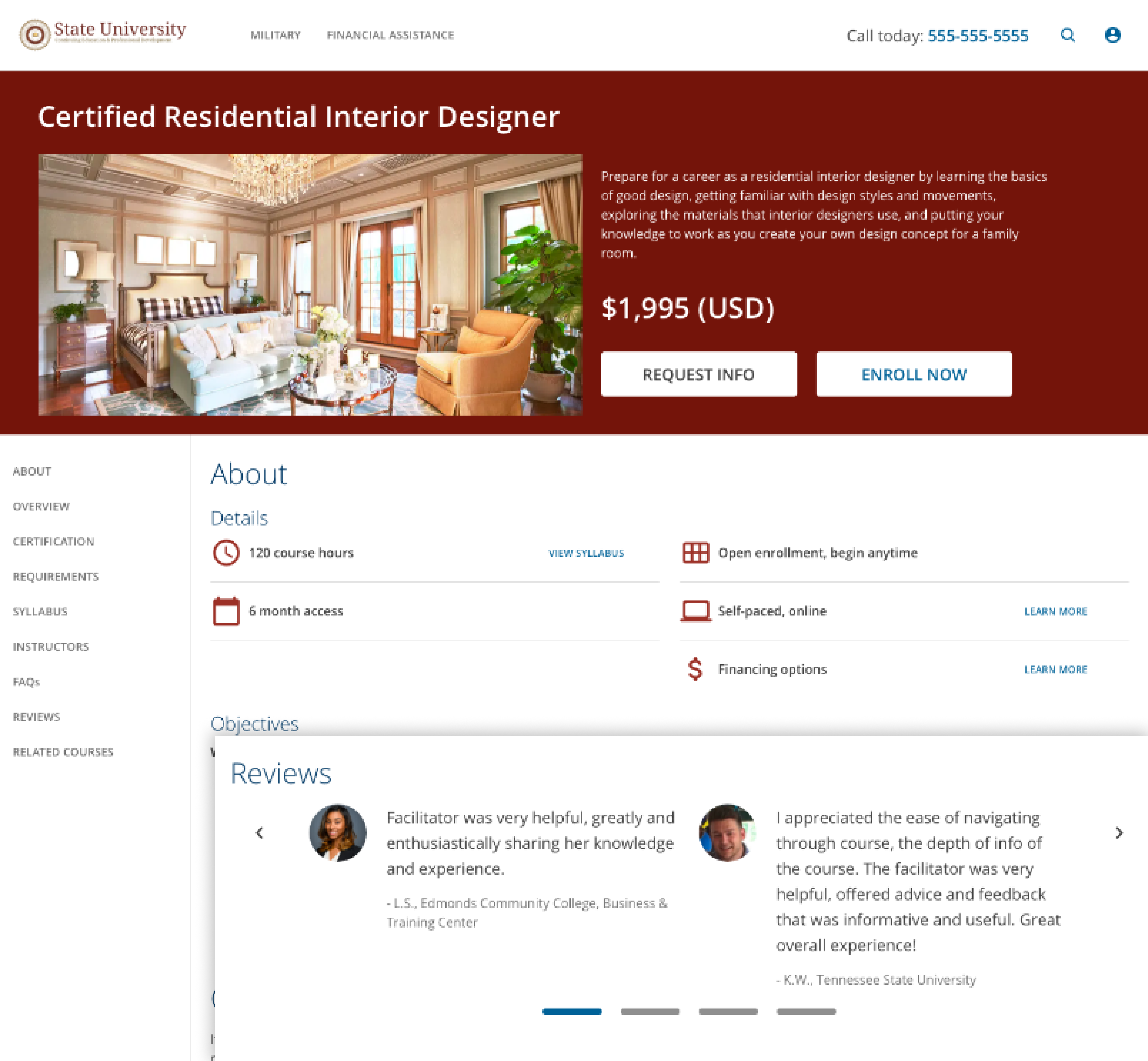
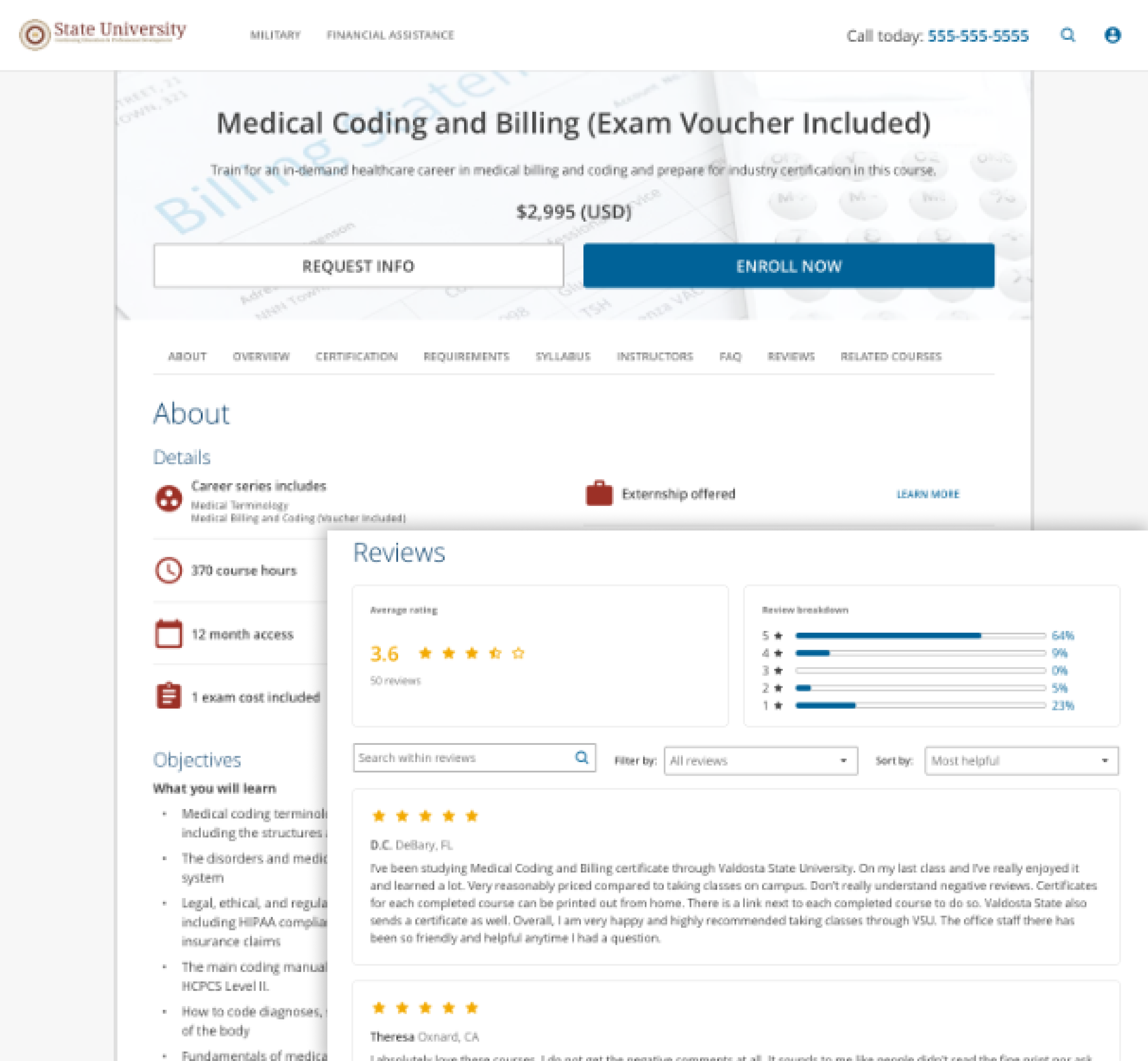
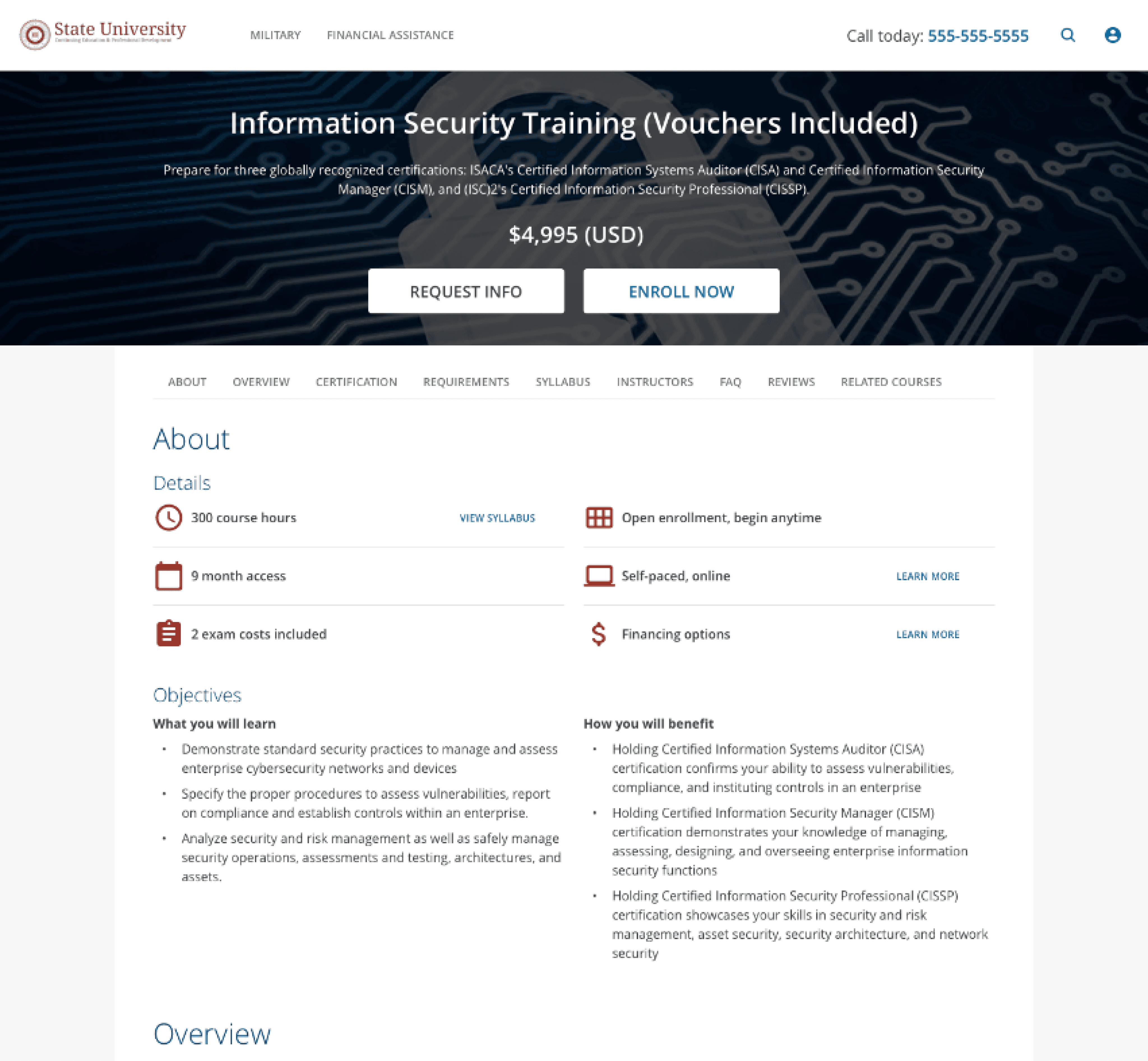
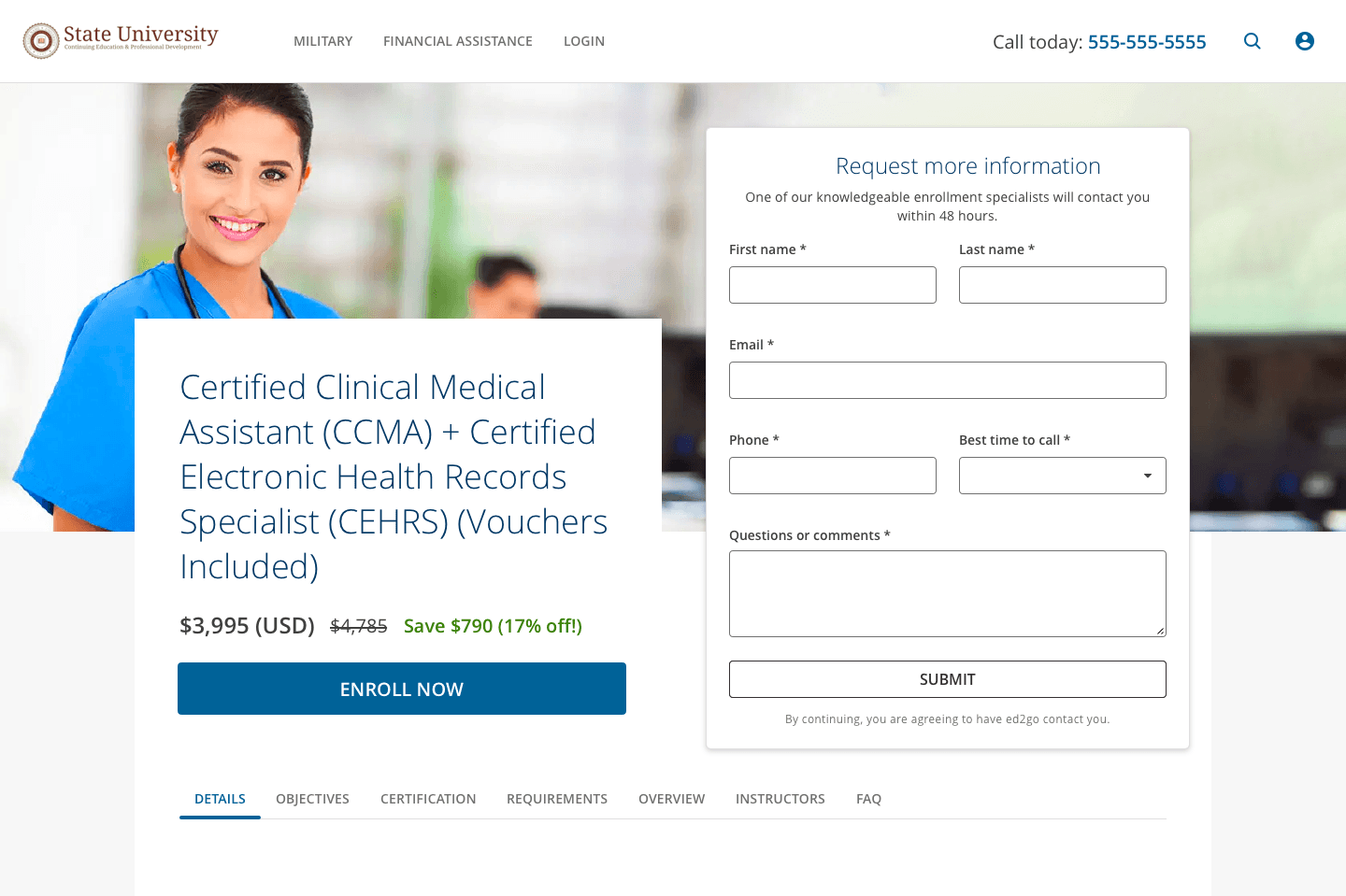
I created high-fidelity interactive prototypes to test 3 header designs and 3 course review layouts, conducting two unmoderated tests—first with 12 participants to evaluate findability and user perception, then a 5-second test with 11 participants to compare 2 header designs against the current site.

Dark header images; Reviews as quotes, but no photo
A paper sketch of the new design that has gradebook category on the left and on the right is a section with assignment details and an option to add another assignment detail block

4.75/5

This site looks professional

4.58/5

This program looks reputable

4/5

These reviews feel genuine

47%

Recalled seeing at least 1 CTA

Header image to the side; Reviews as quotes with photo
A paper sketch of the new design that has gradebok category on the left and on the right is the assignment details with a divider to show the interaction when a teacher selects in individual students and sees a list of all students in the class

4.81/5

This site looks professional

4.36/5

This program looks reputable

4.45/5

These reviews feel genuine

10%

Recalled seeing at least 1 CTA

Light header image; Reviews as star rating
A paper sketch of the new design that has gradebook category on the left and on the right is a section with assignment details and an option to add another assignment detail block

3.91/5

This site looks professional

4.27/5

This program looks reputable

4.64/5

These reviews feel genuine

Not included in 5-second test for CTA recall due to lowest professional and reputable scores

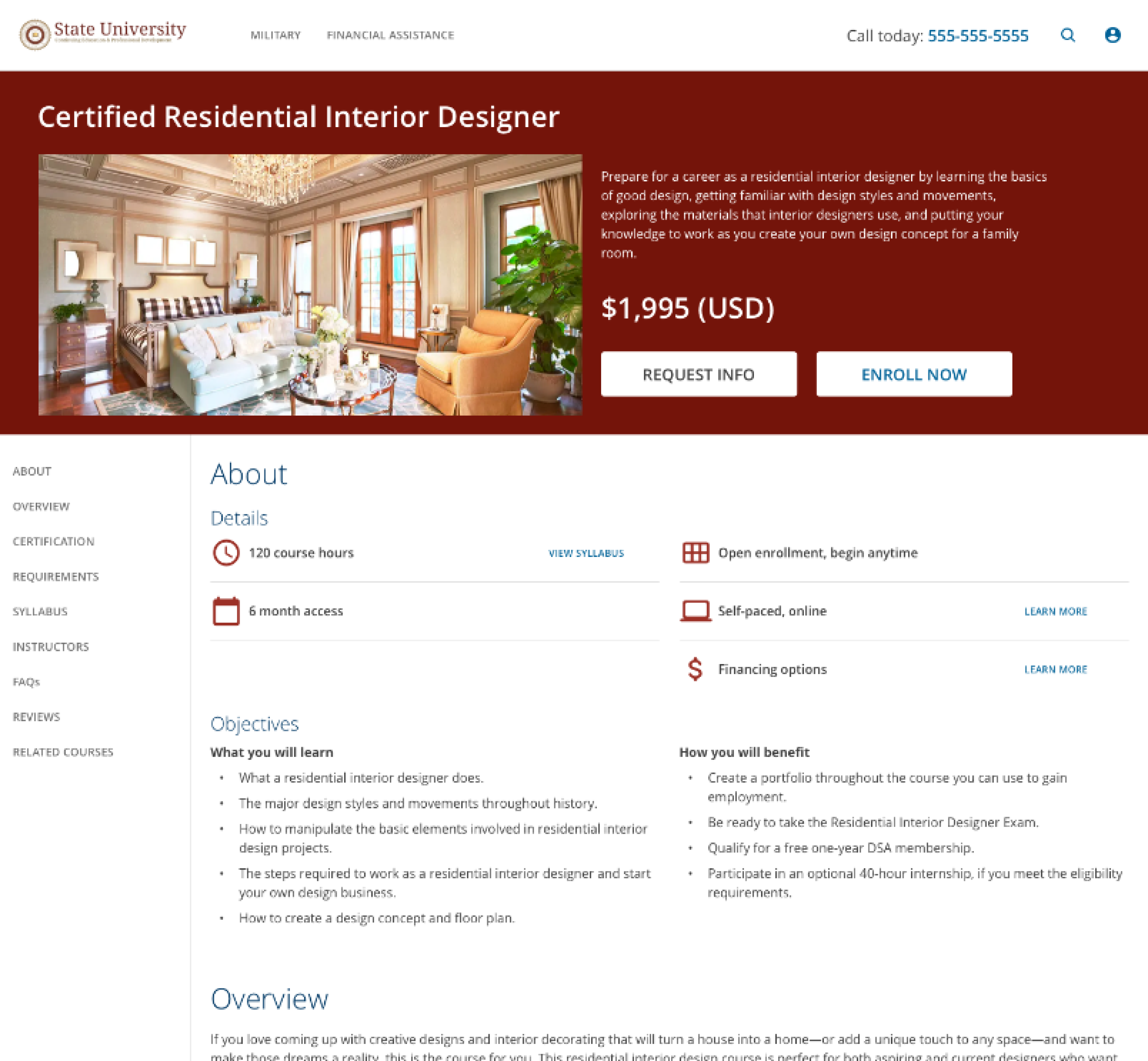
I then conducted an unmoderated study with 7 participants to evaluate the effectiveness between 2 navigation patterns.

Top Navigation
A paper sketch of the new design that has gradebook category on the left and on the right is a section with assignment details and an option to add another assignment detail block

00:35

Average time to find course hours

86% Success Rate

00:57

Average time to find certfying body

57% Success Rate

00:19

Average time to find instructor

86% Success Rate

00:24

Average time to find start date

86% Success Rate

Left Navigation
A paper sketch of the new design that has gradebok category on the left and on the right is the assignment details with a divider to show the interaction when a teacher selects in individual students and sees a list of all students in the class

00:40

Average time to find course hours

100% Success Rate

1:00

Average time to find certifying body

57% Success Rate

00:27

Average time to find instructor

100% Success Rate

00:22

Average time to find start date

86% Success Rate

The low recall rate for the CTAs revealed that the inverse buttons in the design system lacked sufficient contrast, prompting a layout change to improve visibility.
A paper sketch of the new design that has gradebook category on the left and on the right is a section with assignment details and an option to add another assignment detail block
A paper sketch of the new design that has gradebok category on the left and on the right is the assignment details with a divider to show the interaction when a teacher selects in individual students and sees a list of all students in the class

Project Handoff

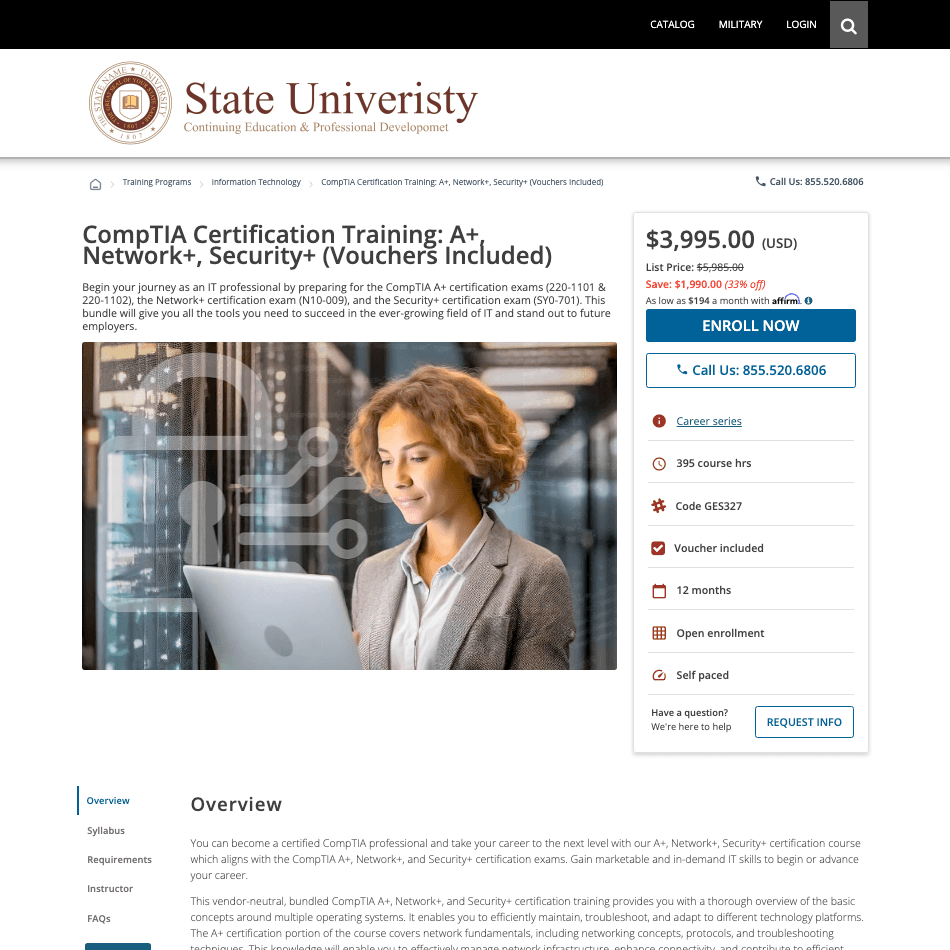
Following my transition off the project, I onboarded and mentored a new Designer, who ultimately led the project to a successful launch
A paper sketch of the new design that has gradebook category on the left and on the right is a section with assignment details and an option to add another assignment detail block

Results

+52%

course enrollments

+52%

course enrollments

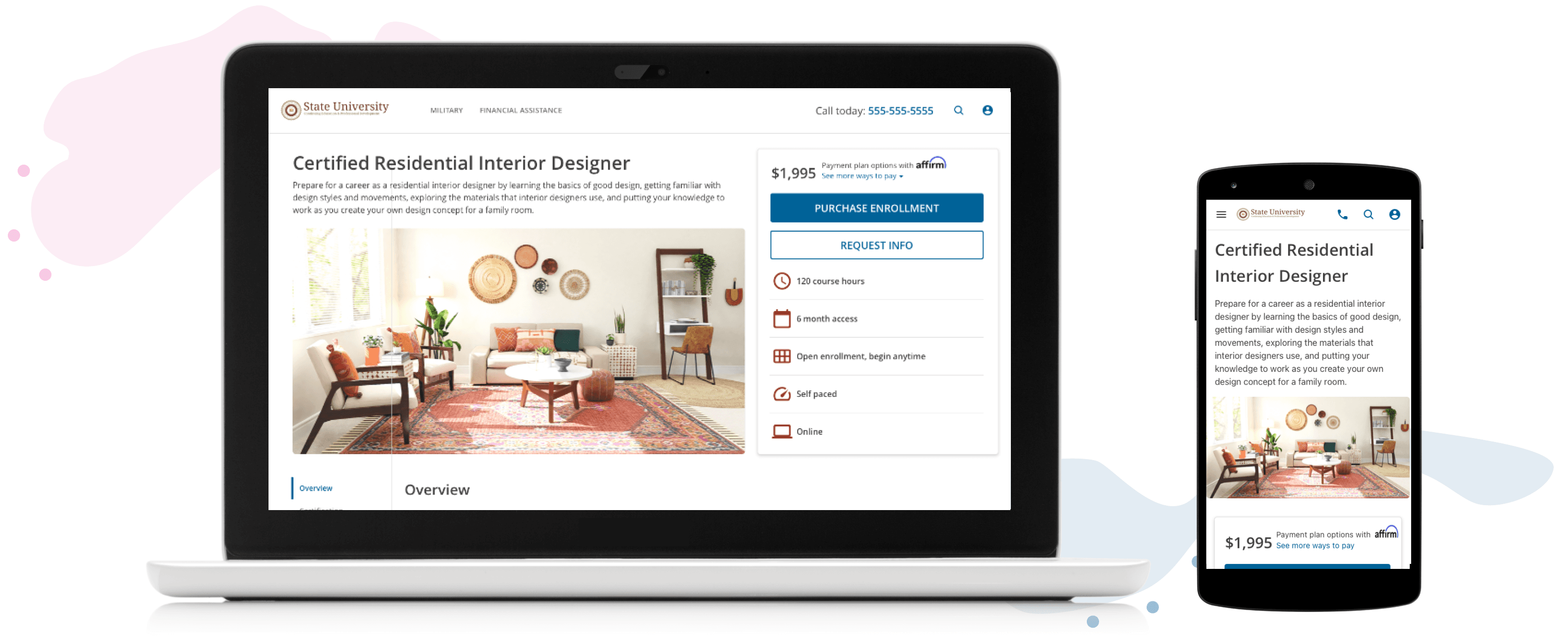
The redesigned checkout flow and course details page significantly improved the user experience and business outcomes.

What I Learned

  • I discovered a passion for unmoderated testing - the speed of insights is incredibly rewarding!

  • I re-learned the value of humility: avoid over-designing what already works well

What I Would Have Done Differently

  • Simplify test variables (e.g. keep images consistent when comparing headers) for clearer results

  • Although I completed designs for and performed a heuristic evaluation of the mobile experience, I missed the opportunity to test them, which would have provided valuable validation

Create a free website with Framer, the website builder loved by startups, designers and agencies.