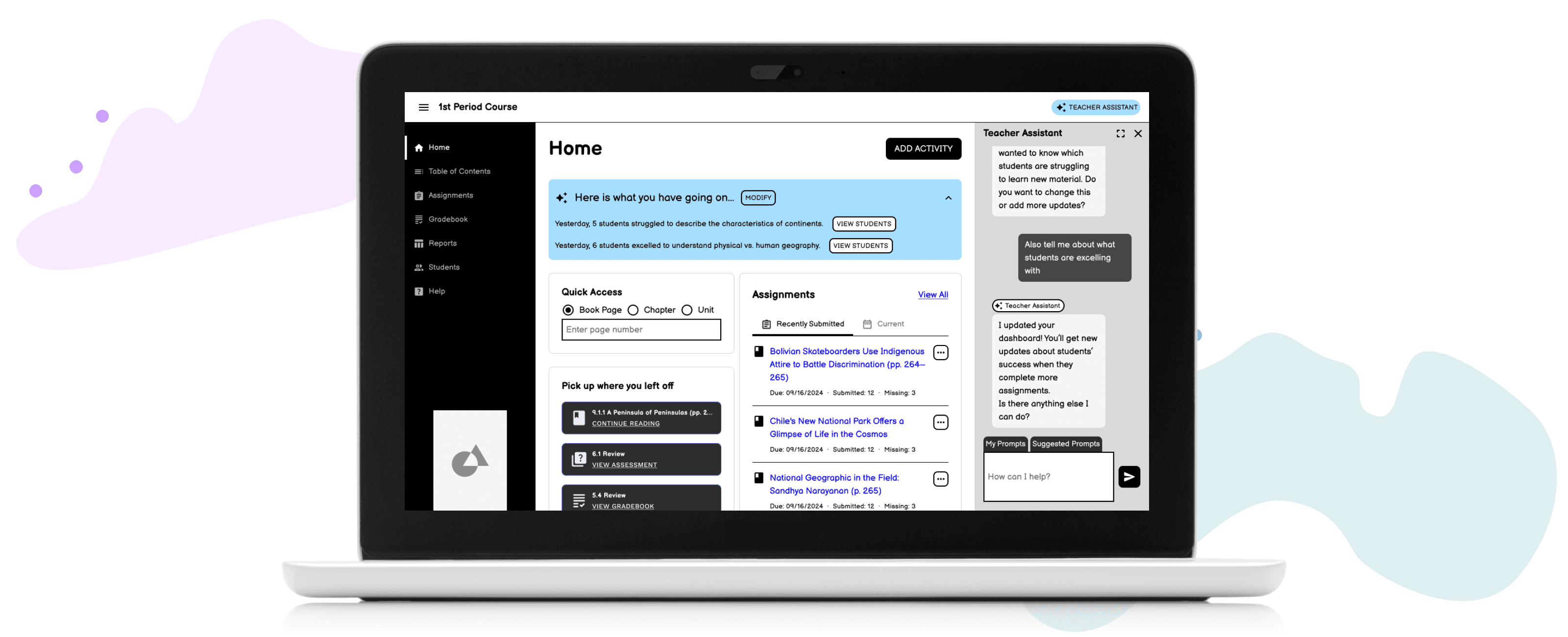
Overview
I was the lead designer for a 10-day design sprint investigating how to implement AI into the K-12 teacher experience.
The team set out to explore meaningful ways to integrate generative AI into the K-12 teacher experience.
Full case study available upon request
ROLE
Lead User Experience Designer
RESPONSIBILITIES
Synthesize ideas
Prototype creation
TEAM
14 people from UX Design, UX Research, Product Management, Instructional Design, Software Engineering, Product Research, and AI Subject Matter Experts
Approach
Day 1: Define the Problem
To explore how AI could support teachers, the team synthesized challenges and performed a "How Might We" exercise and chose to focus on personalization across learning styles and performance levels.
Final "How Might We" Statement
How might we help teachers efficiently personalize instruction for diverse learners by adapting both content level and learning style?
Long-Term Goal
In 2 years, our solution will act like a full-time teaching assistant by personalizing learning plans, grading assessments, and providing insights, so teachers can focus on students who need the most support.
Day 2: Generate Ideas
Each team member created sketches to explore how AI could support teachers in differentiating instruction.
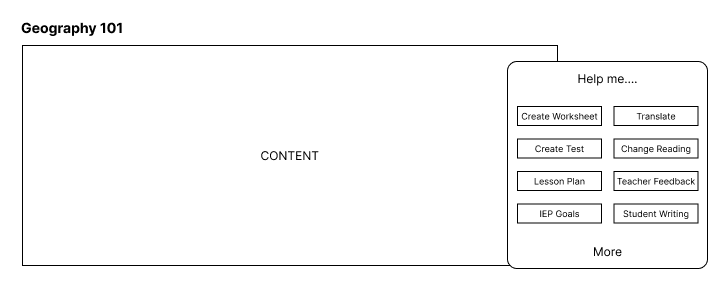
Chatbot with suggested prompts
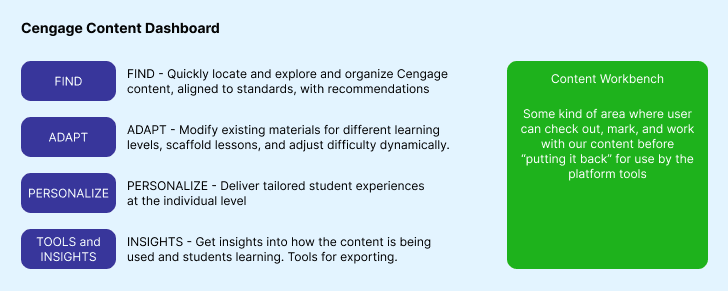
Content workbench
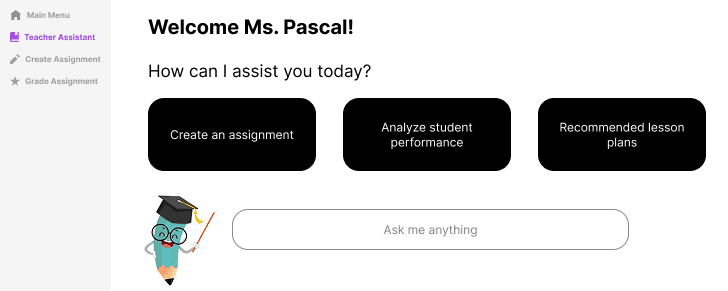
Chatbot as dedicated menu
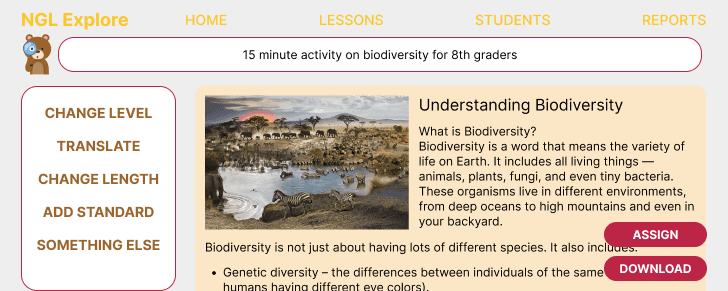
Suggested modifications for activity
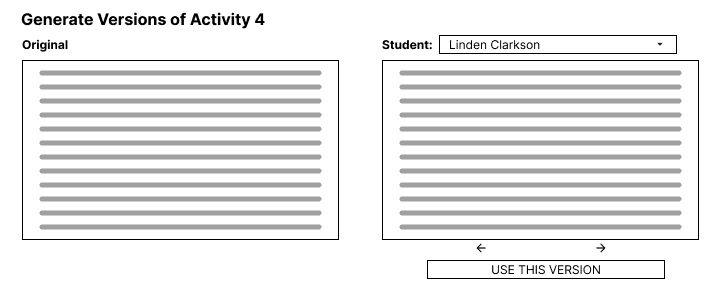
IEP modifications for each student
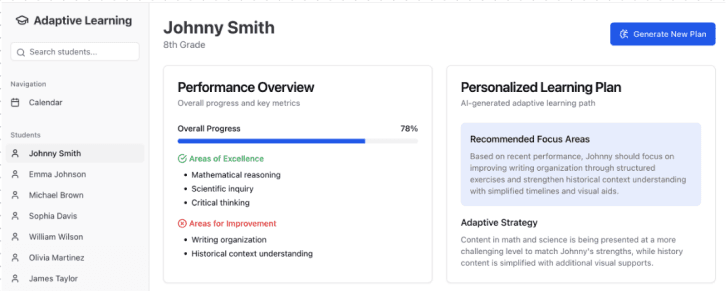
Personalized learning plans
Voting resulted in 3 promising concepts: a prompt library, a virtual teaching assistant, and a personalized content generator.
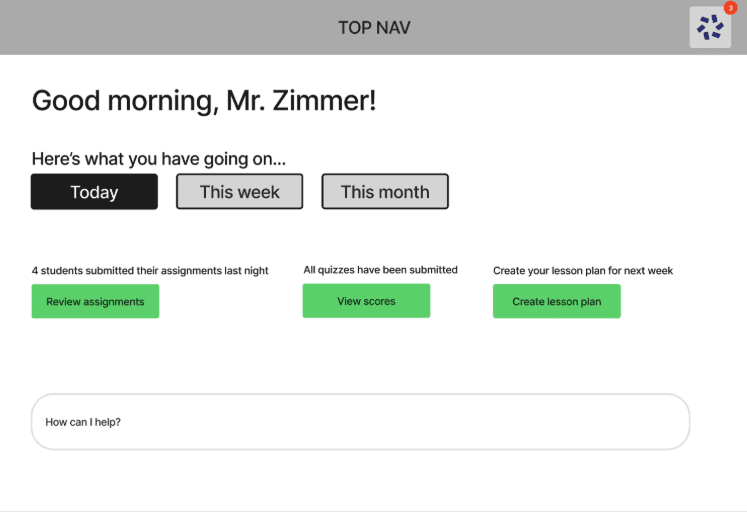
Prompt Library
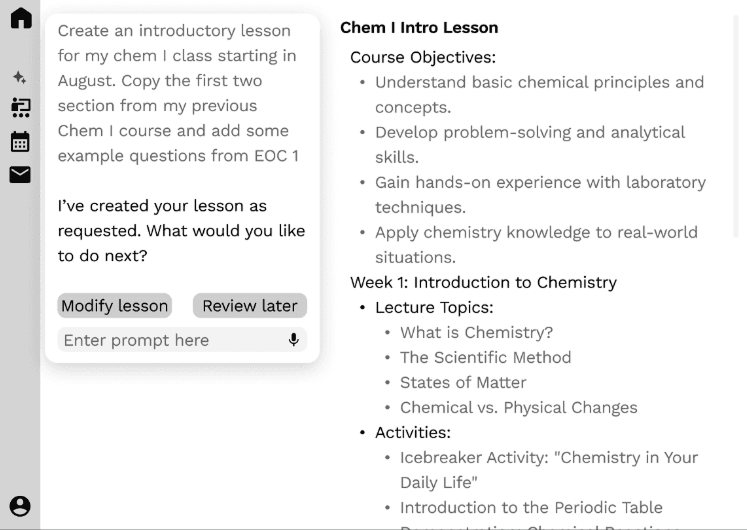
Teaching Assistant
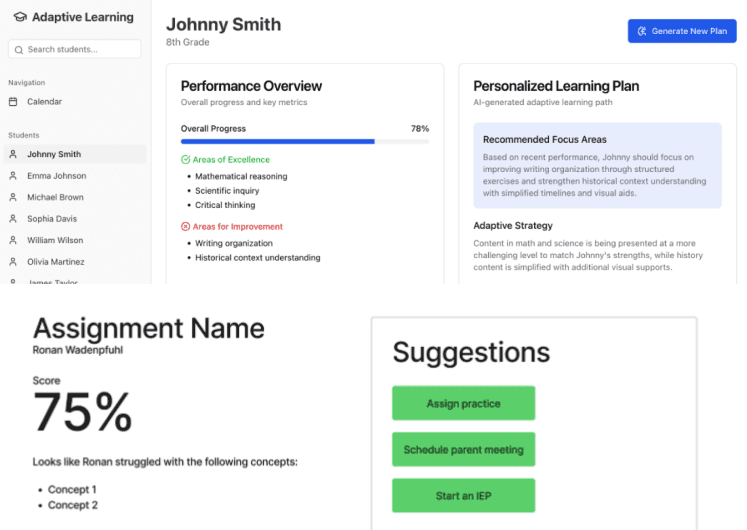
Personalized Content
Day 3: Prototype
I translated the top ideas into a low-fidelity prototype, weaving them into a cohesive user flow.
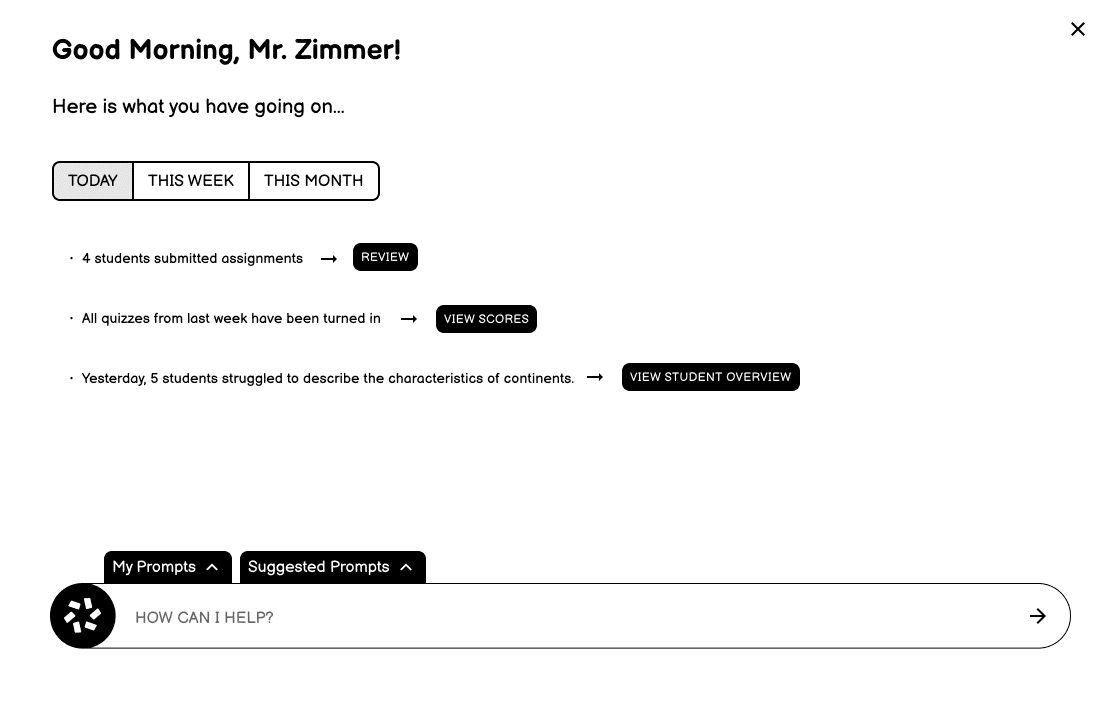
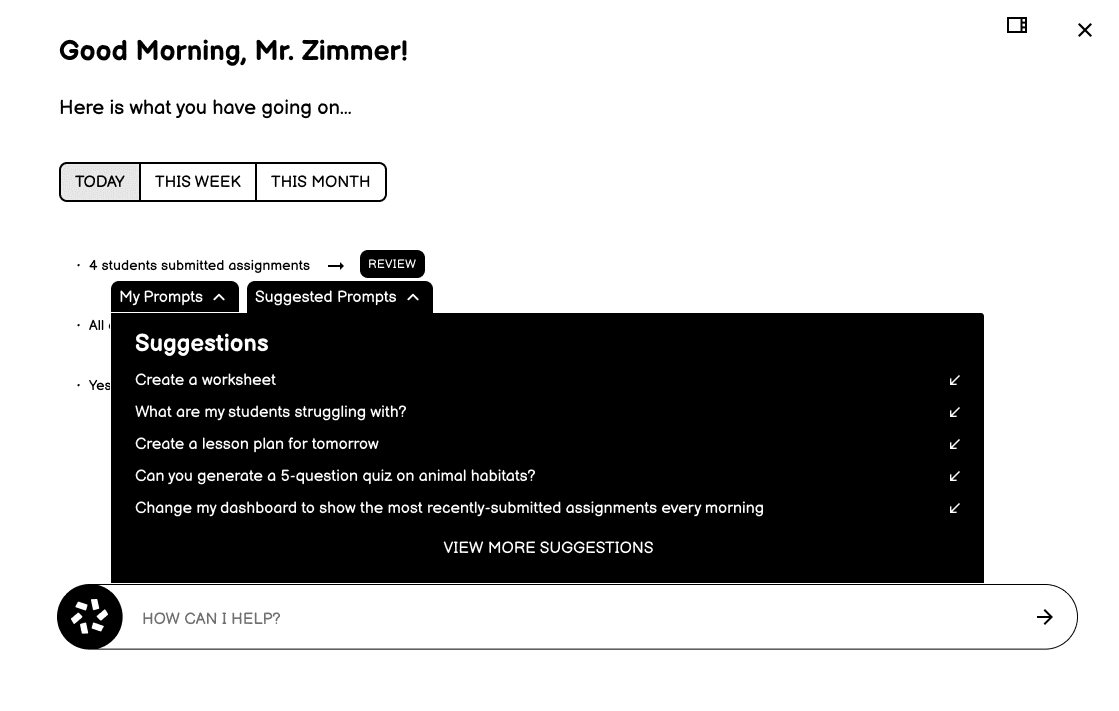
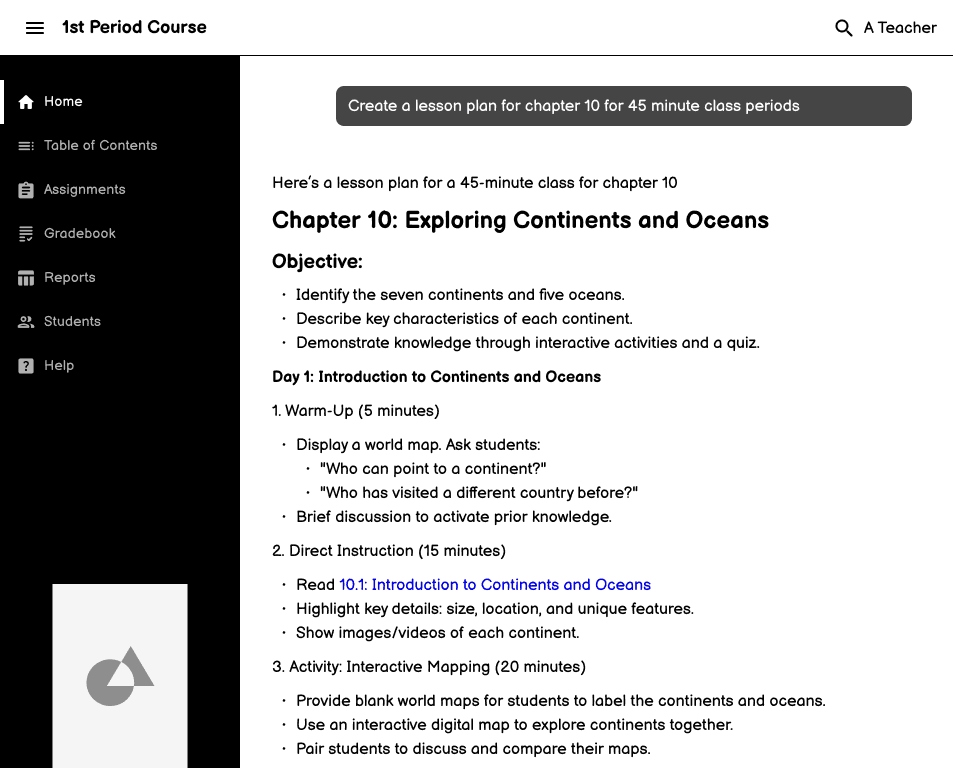
Start: When teachers first open the assistant, timely updates based on recent student actions are surfaced as well as suggested prompts to help teachers of varying tech confidence.
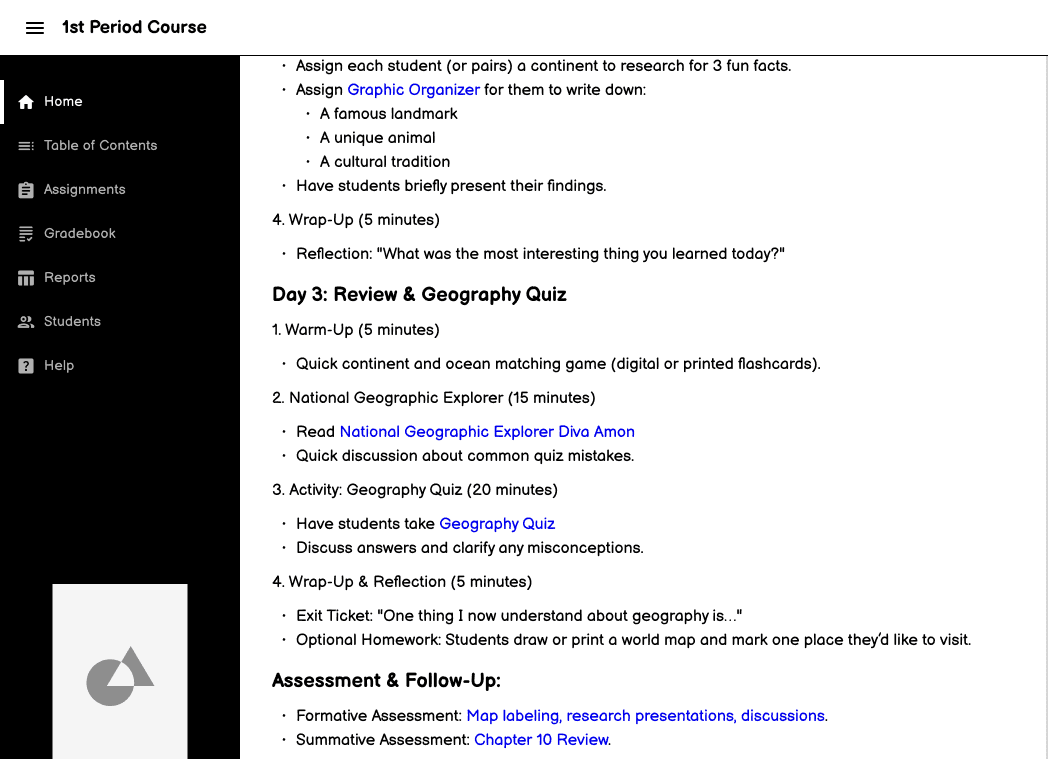
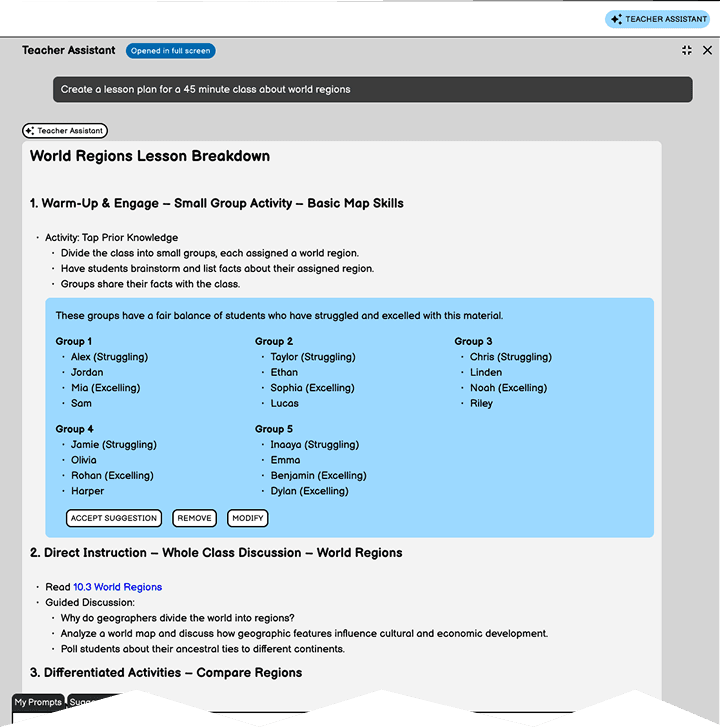
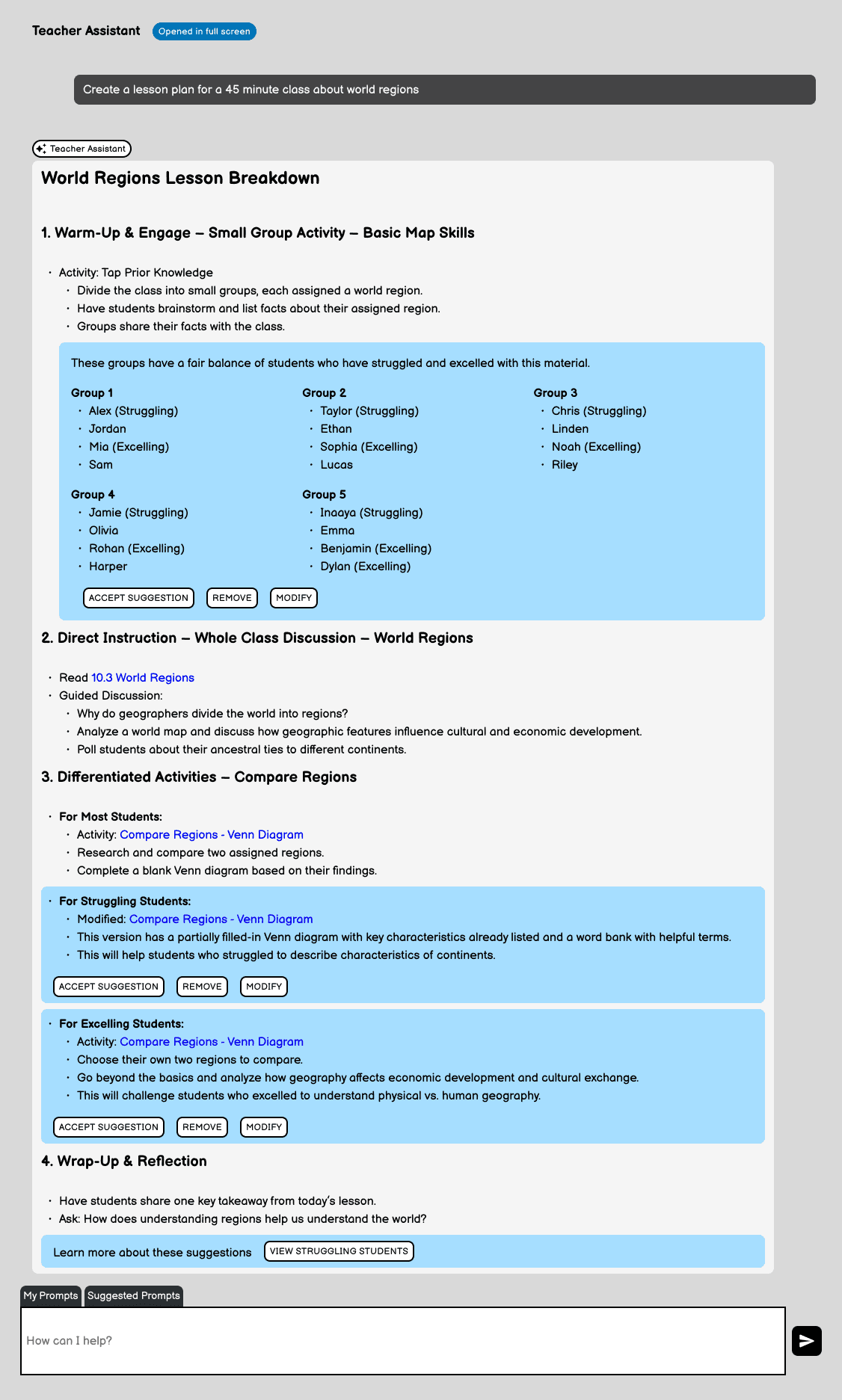
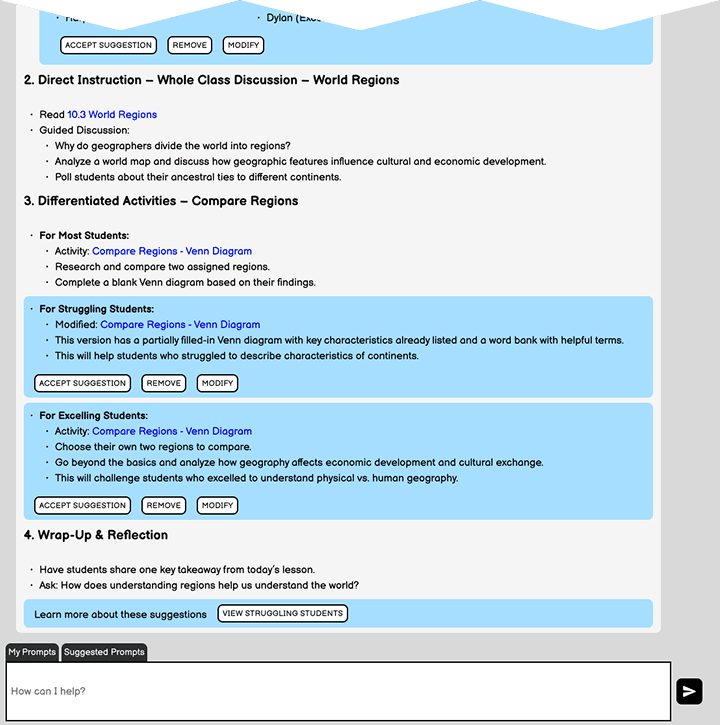
Plan: The AI Assistant can act like a teaching assistant to quickly pull textbook content to create a lesson plan based on classroom needs.
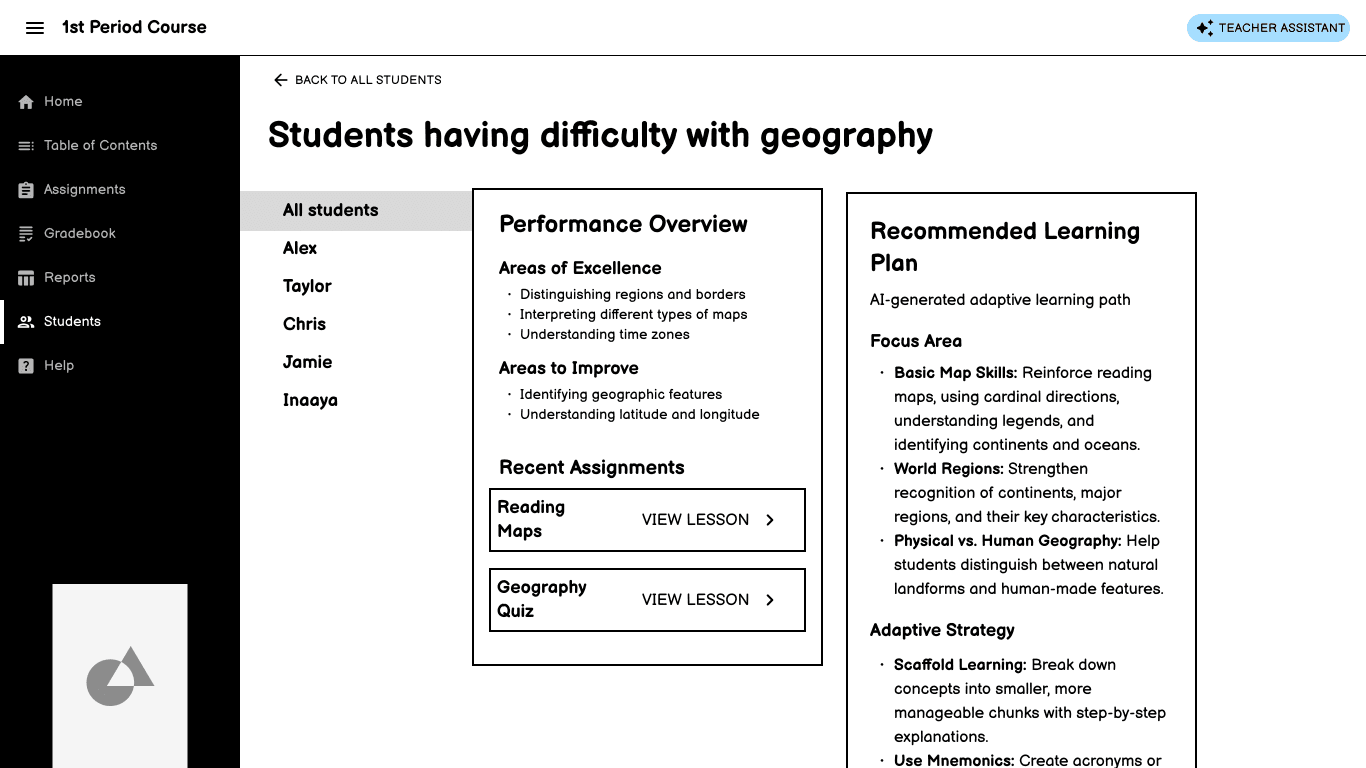
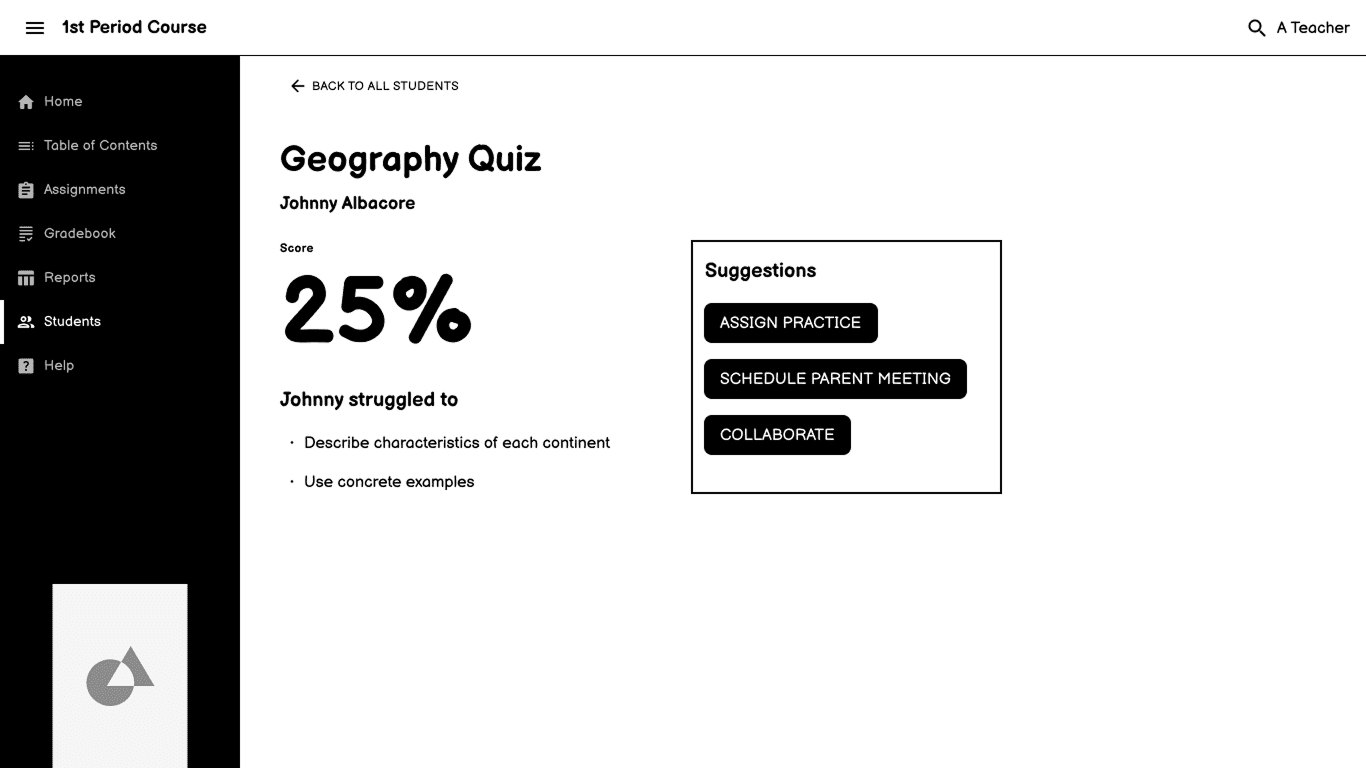
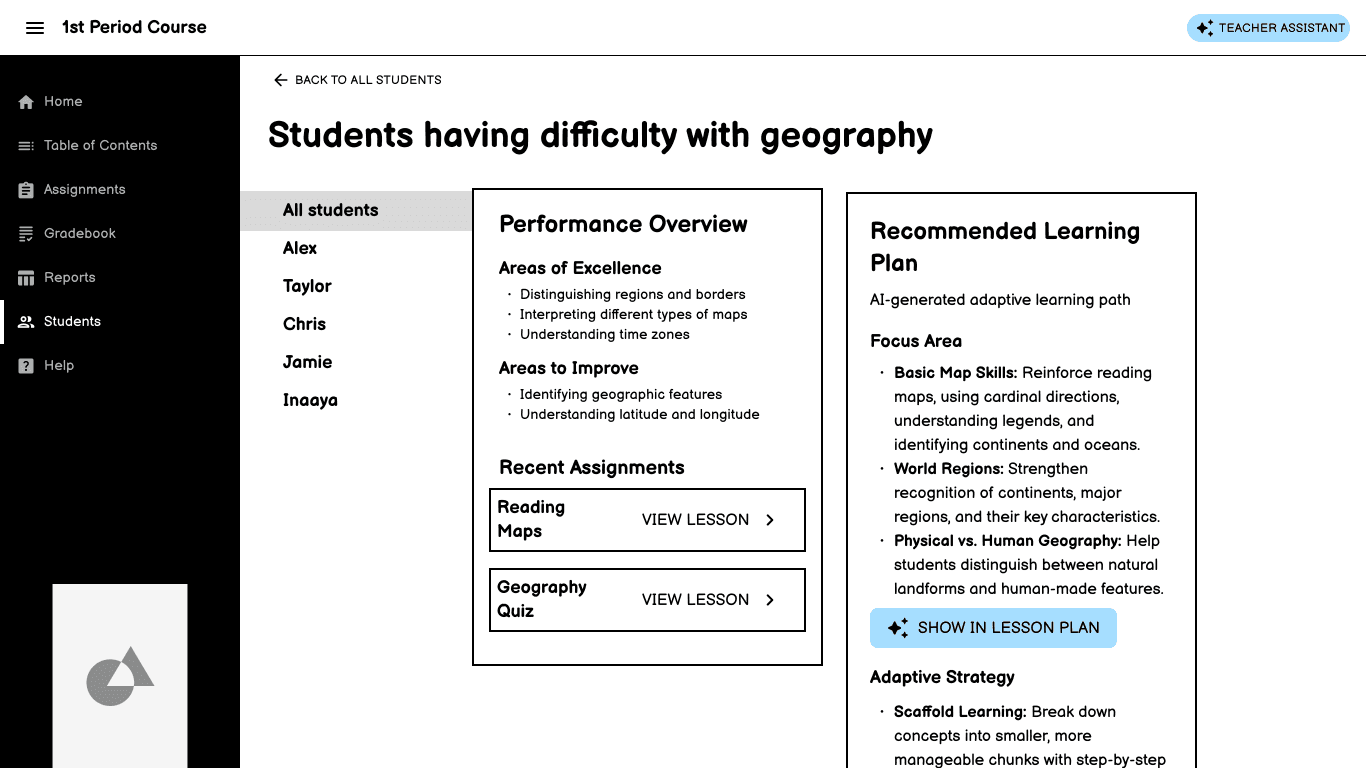
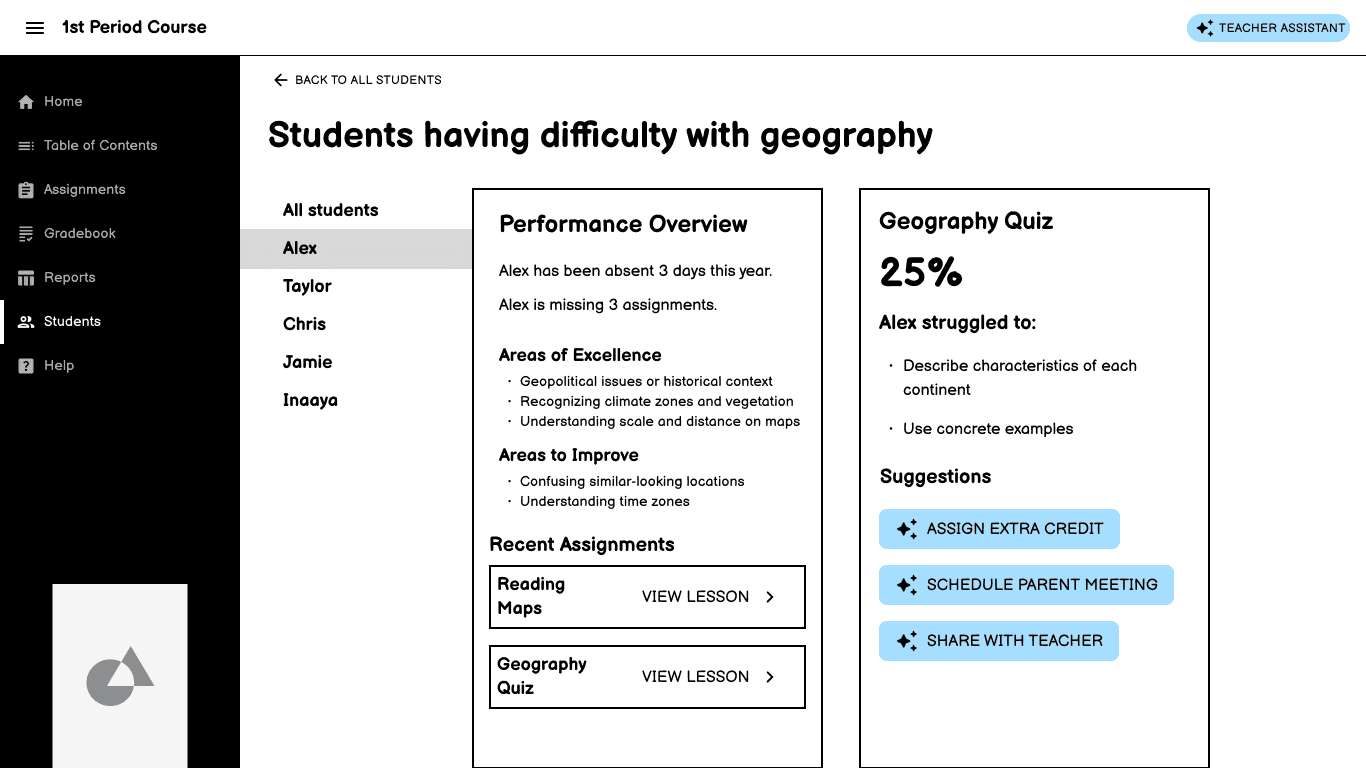
Respond: Improving upon sketches from the design sprint, I included both a high-level overview of multiple students' performance as well as an individual student view.
Days 4-7: Test
Moderated testing by UX Researchers was generally positive, especially with tools that could save time.
Days 8-10: Refine the Design
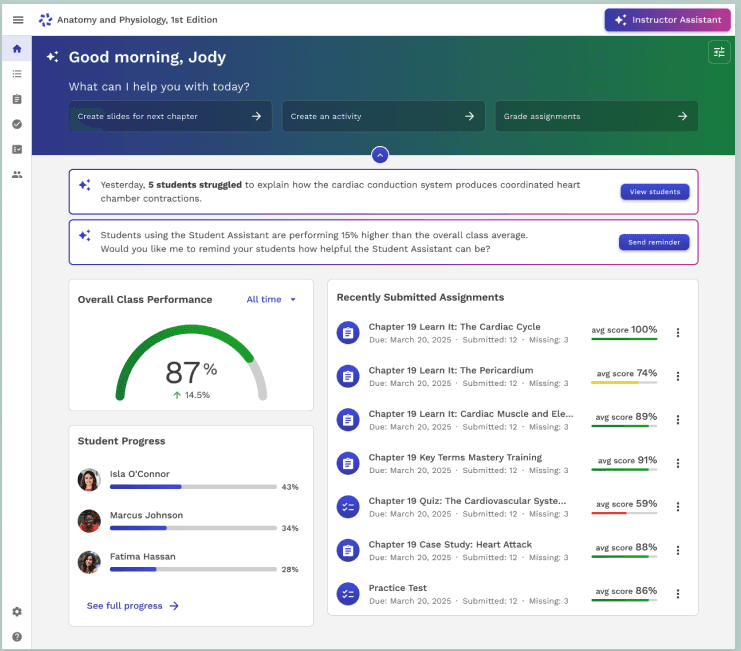
Start: Based on teacher feedback, I refined the prototype to surface actionable insights directly on the homepage, while still providing the flexibility to modify.
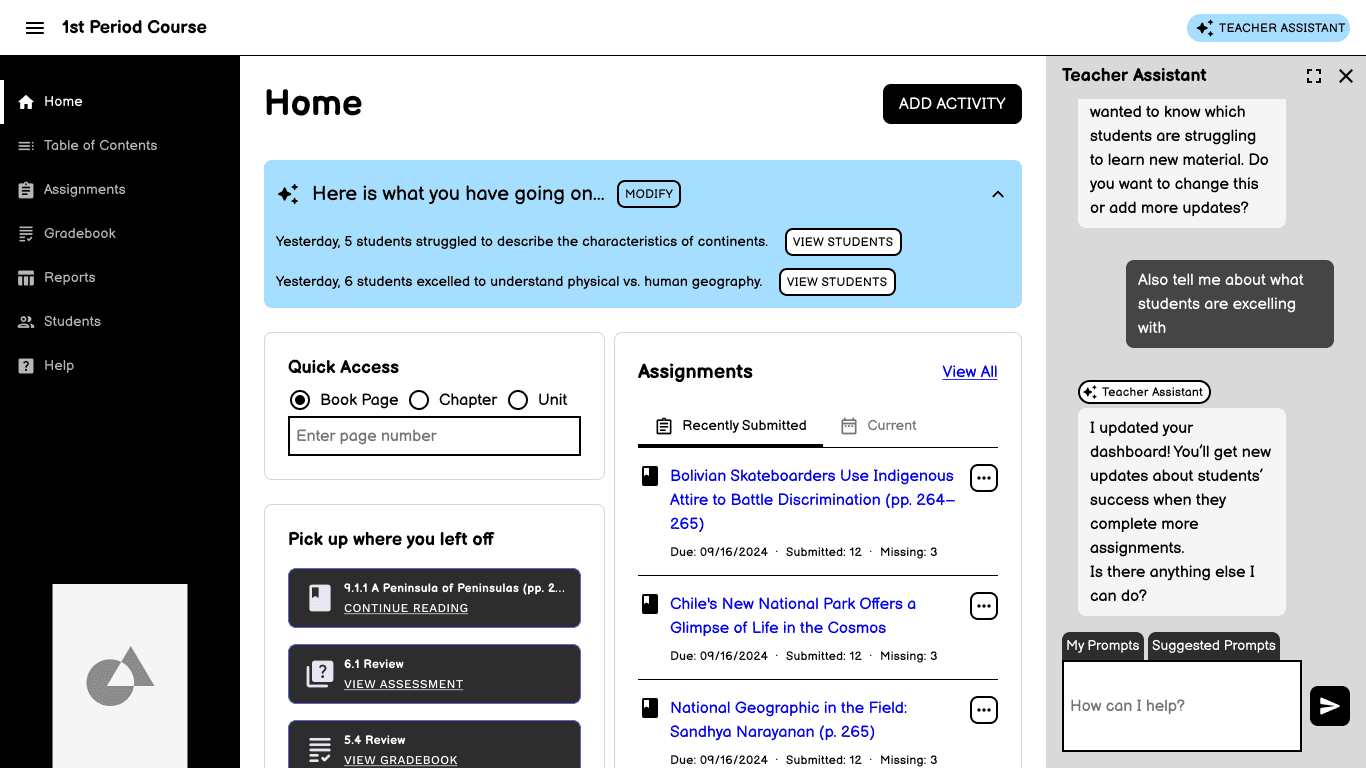
Plan: Lesson planning becomes more dynamic with student performance insights, while still allowing teachers to adapt plans as needed.
Respond: To highlight the breadth of possibilities of the assistant, individual student pages highlight both strengths and struggles to guide next steps.
Extended Impact
The concept influenced subsequent AI exploration roadmaps across multiple teams.
“
I would not have been able to do this without Steph's work
Principal UX Designer
Results
The design sprint clarified what mattered most and set up future iterations for success.
What I Learned
Before this design sprint, I had only made updates to chatbots, it was fun to design an entire workflow.
To earn trust, teachers want to know why a recommendation is made and how it's personalized.
What I Would Have Done Differently
Narrow the concept scope earlier. Having three "winners" made it more challenging to tell a cohesive story.