Creating an Accessible, Efficient Assignment Flow for K-12 Teachers

Creating an Accessible, Efficient Assignment Flow for K-12 Teachers

Creating an Accessible, Efficient Assignment Flow for K-12 Teachers

Optimization

Optimization

Product Design Lead

Product Design Lead

Accessible Design

Accessible Design

Mentoring

Mentoring

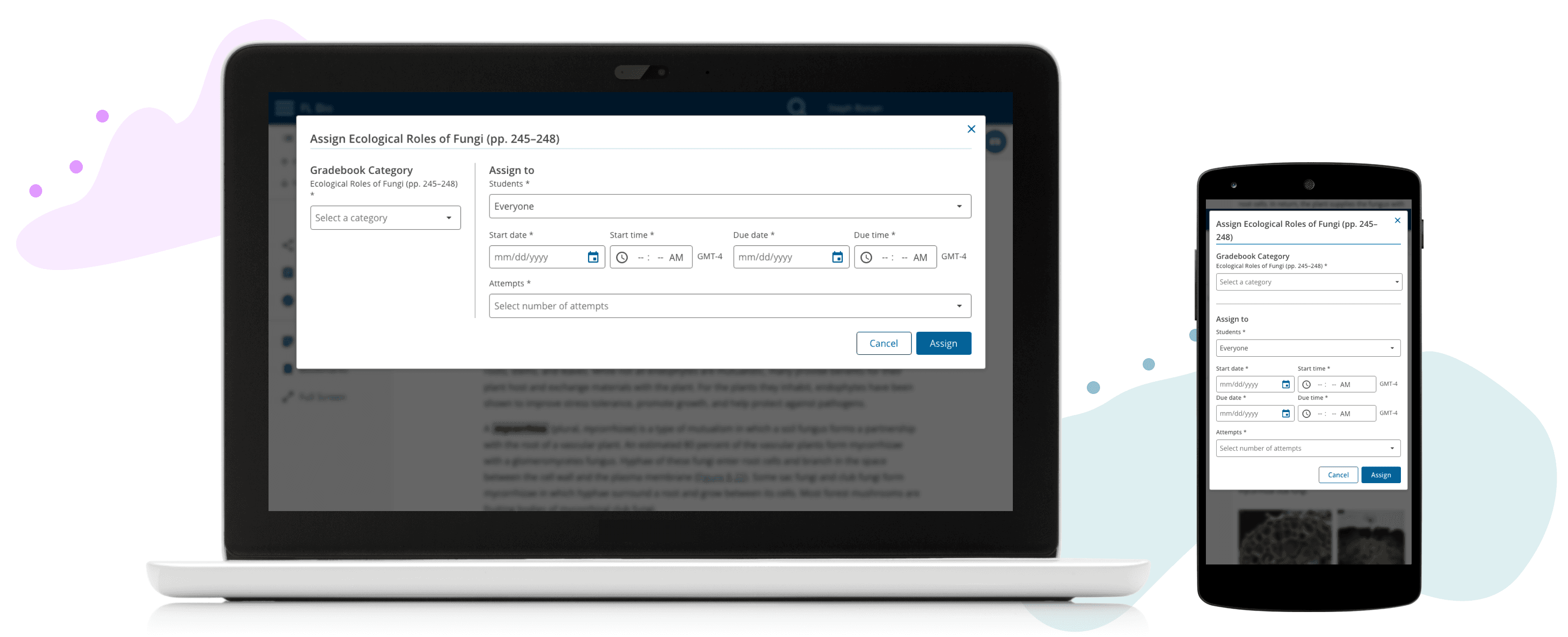
A classroom table with a laptop and phone displaying the redesigned assignment workflow

Overview

This project was part of a larger redesign focused on improving usability and addressing accessibility failures of the assignment creation workflow.

I owned the design vision while mentoring an aspiring designer and championing for its completion through organizational prioritization changes.

Full case study available upon request

ROLE

Lead User Experience Designer

RESPONSIBILITIES

End-to-end design

Accessibility compliance

TEAM

2 UX Designers, 2 UX Researchers, 1 Product Manager, 3 Software Engineers, 1 QA

Key Results

-50%

time on task

15

WCAG failures fixed

4.3/5

ease-of-use rating

Key Results

-50%

time on task

15

WCAG failures fixed

4.3/5

ease-of-use rating

Approach

Data-Driven Analysis

Discovered that 80% of teachers assign the same details to all students, but the current flow forced them to select students individually before entering assignment details.
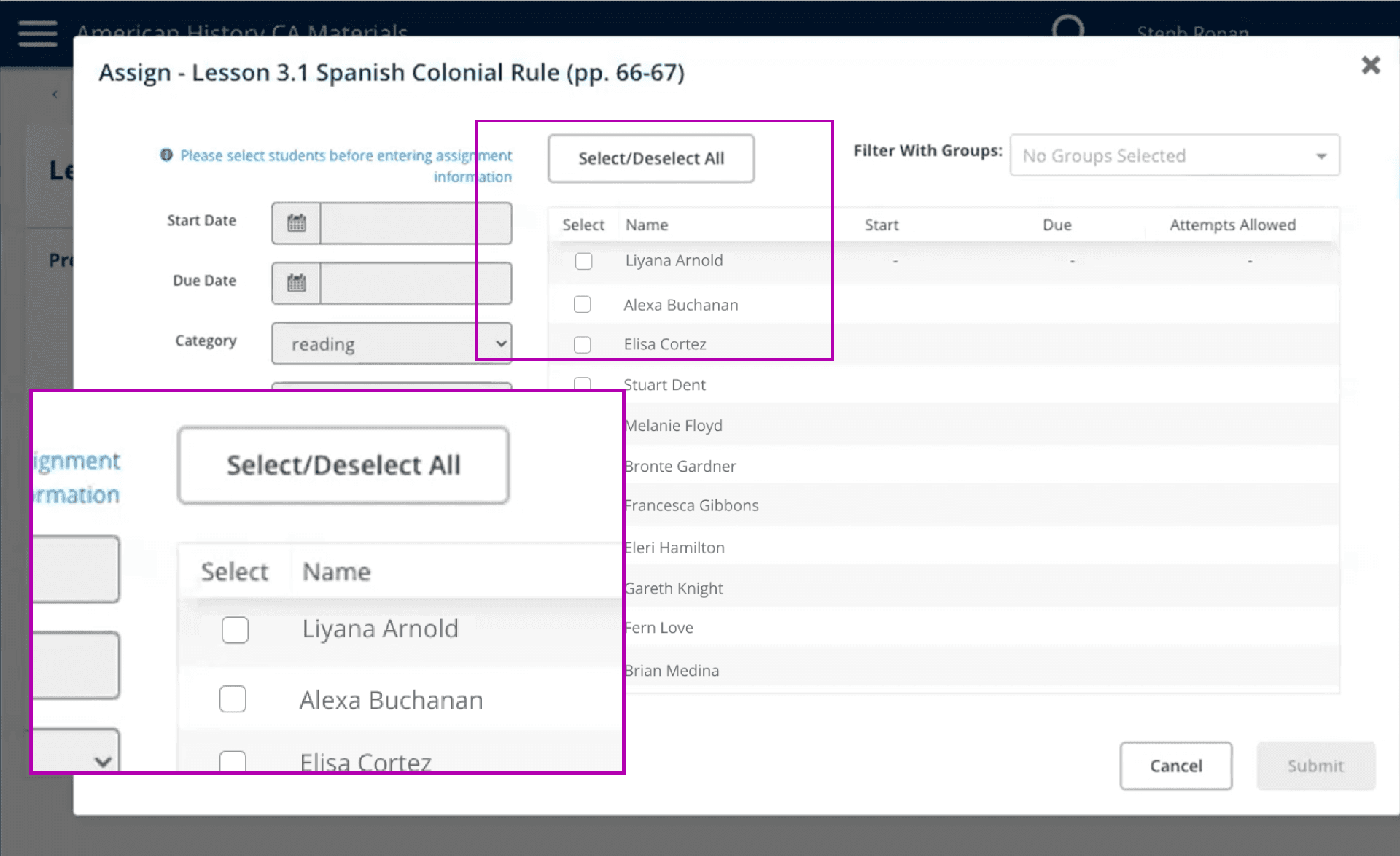
The original assignment workflow that has the 'Select/Deselect All' button and list of students highlighted

Accessibility Evaluation

Identified 15 WCAG failures, most notably meaningful sequence issues and disabled form sections that created barriers for all users, but especially assistive technology users.

Teachers were forced to complete the section on the right before the left section became enabled.

For the 20% of teachers assigning unique details, the flow required submitting the form and repeating the process.
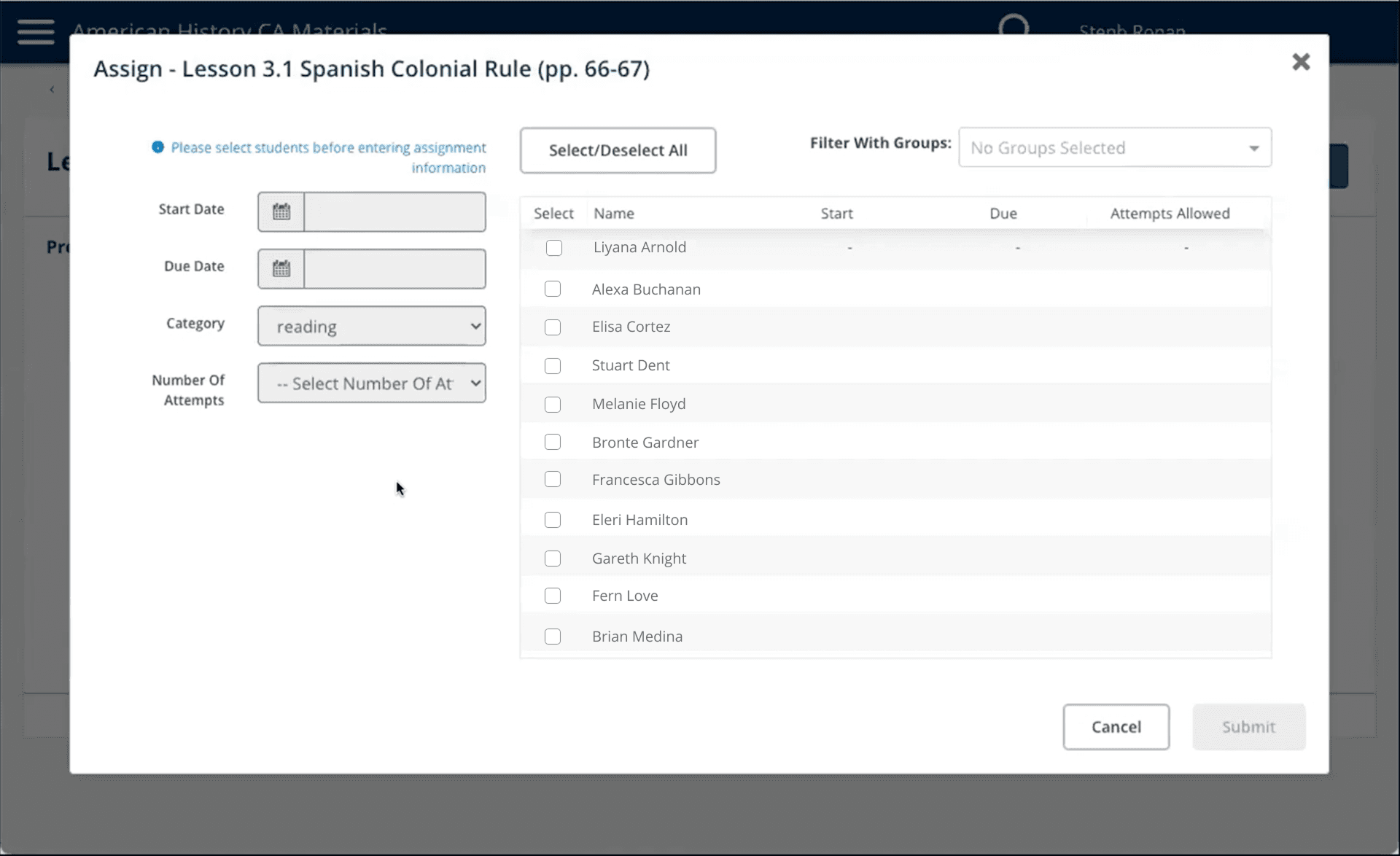
The original assignment workflow that has details on the left and student selection on the right

Rapid Ideation & Testing

Used paper sketches to explore solutions with the team, then created interactive Figma prototype using progressive disclosure that was tested through moderated usability sessions.
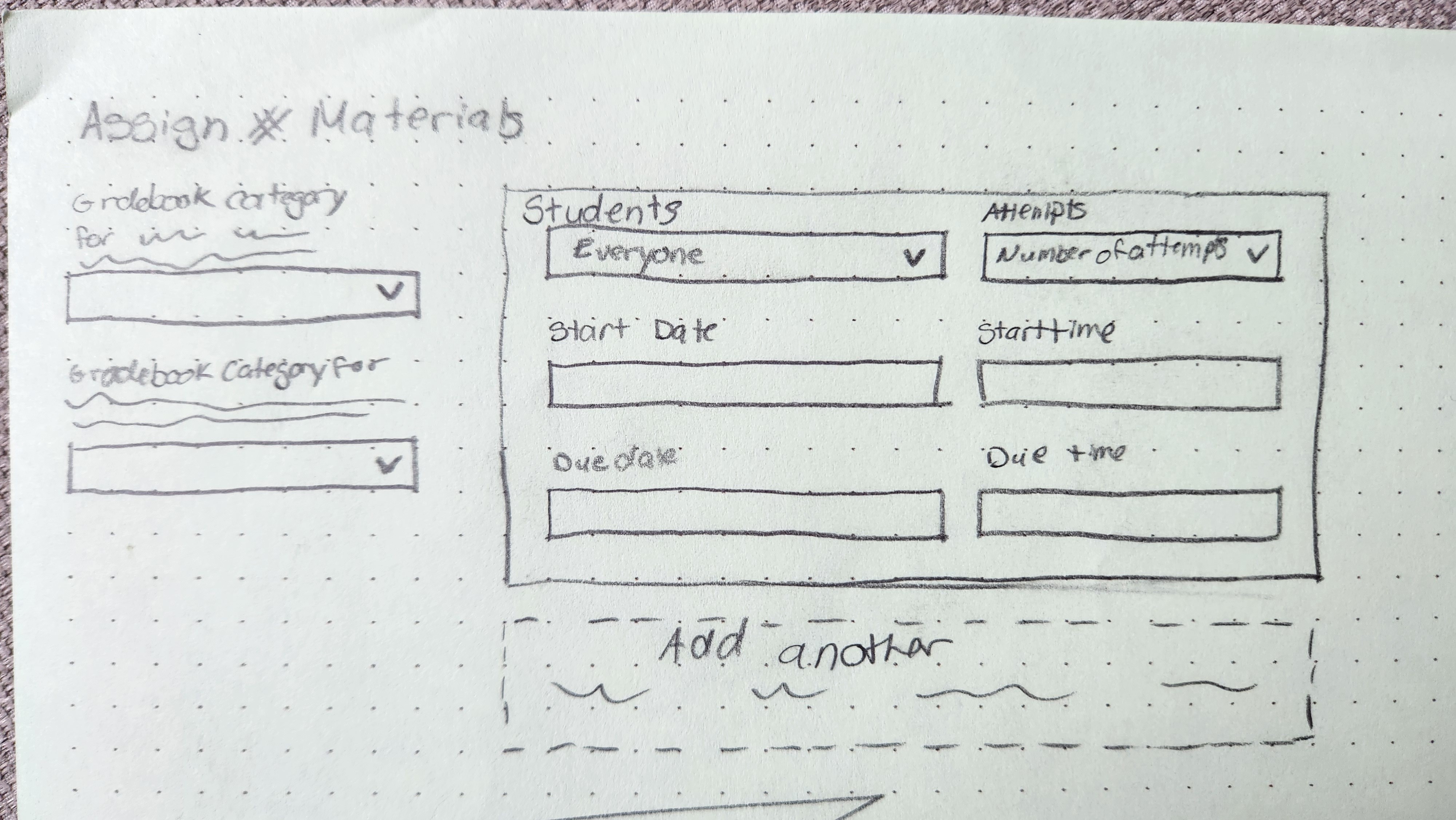
A paper sketch of the new design that has gradebook category on the left and on the right is a section with assignment details and an option to add another assignment detail block

This concept used modular detail blocks, but made it hard to track students across blocks
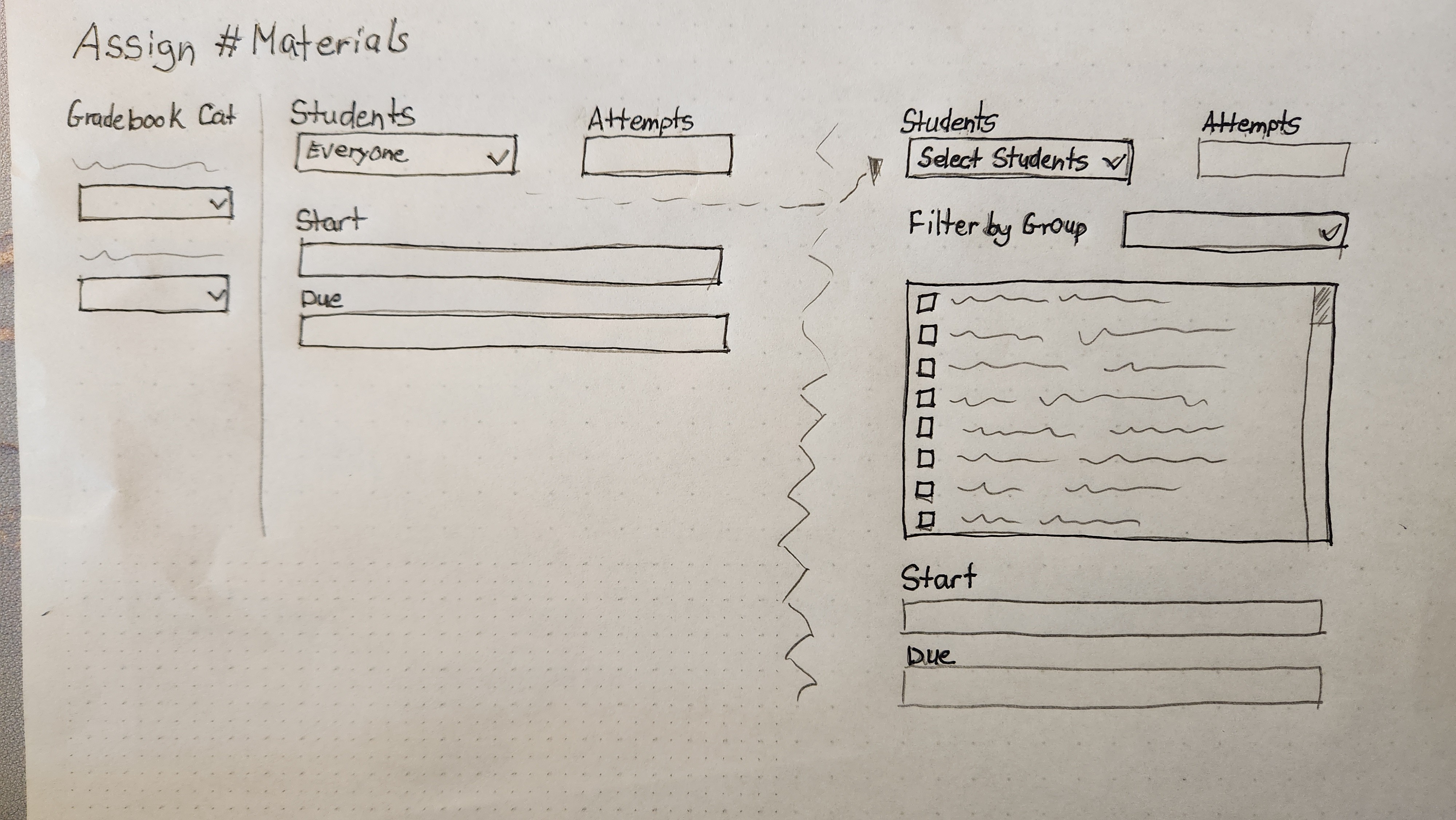
A paper sketch of the new design that has gradebok category on the left and on the right is the assignment details with a divider to show the interaction when a teacher selects in individual students and sees a list of all students in the class

This concept using progressive disclosure if a teacher chose to assign to individual students resonated best with internal stakeholders
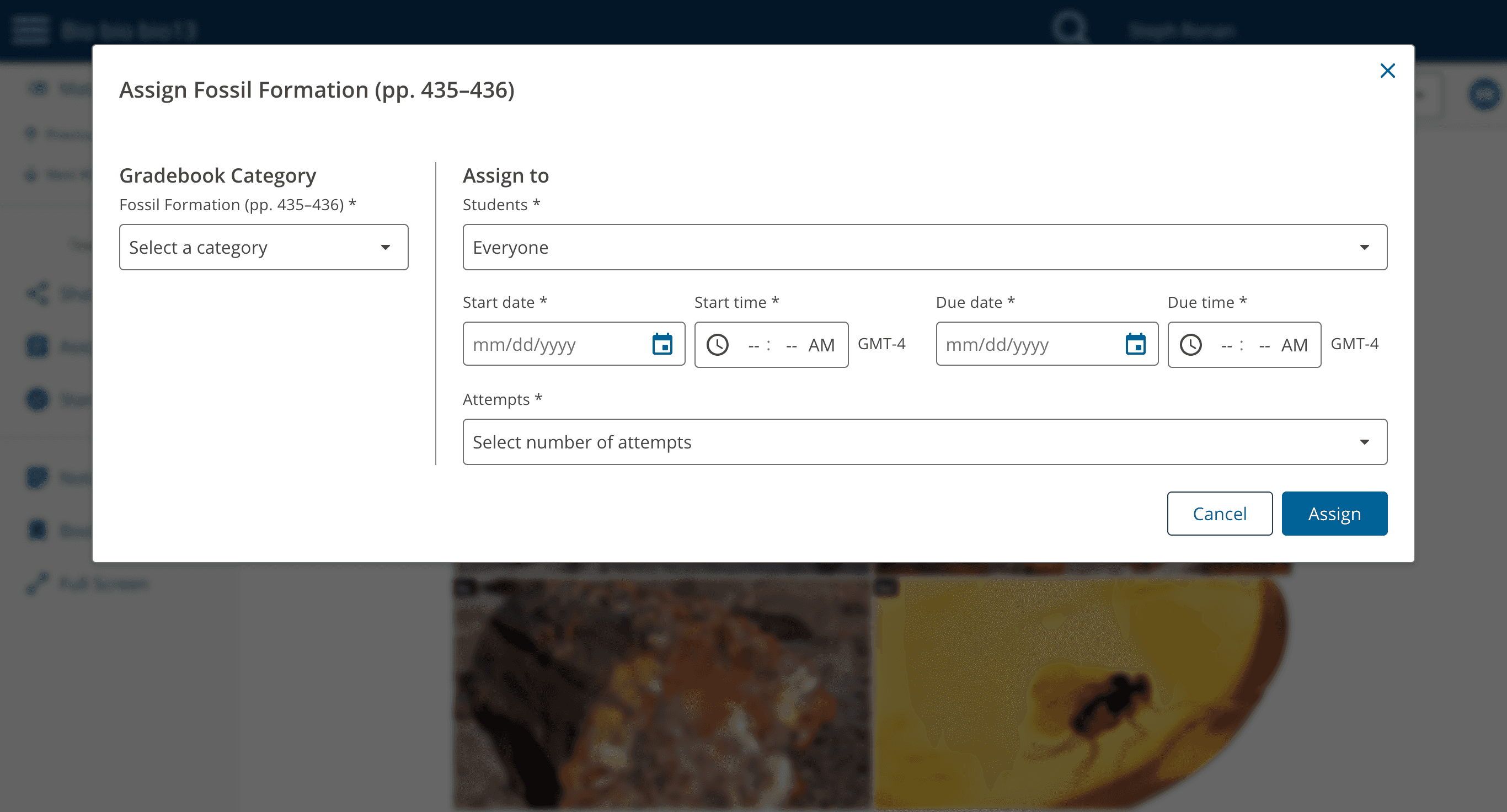
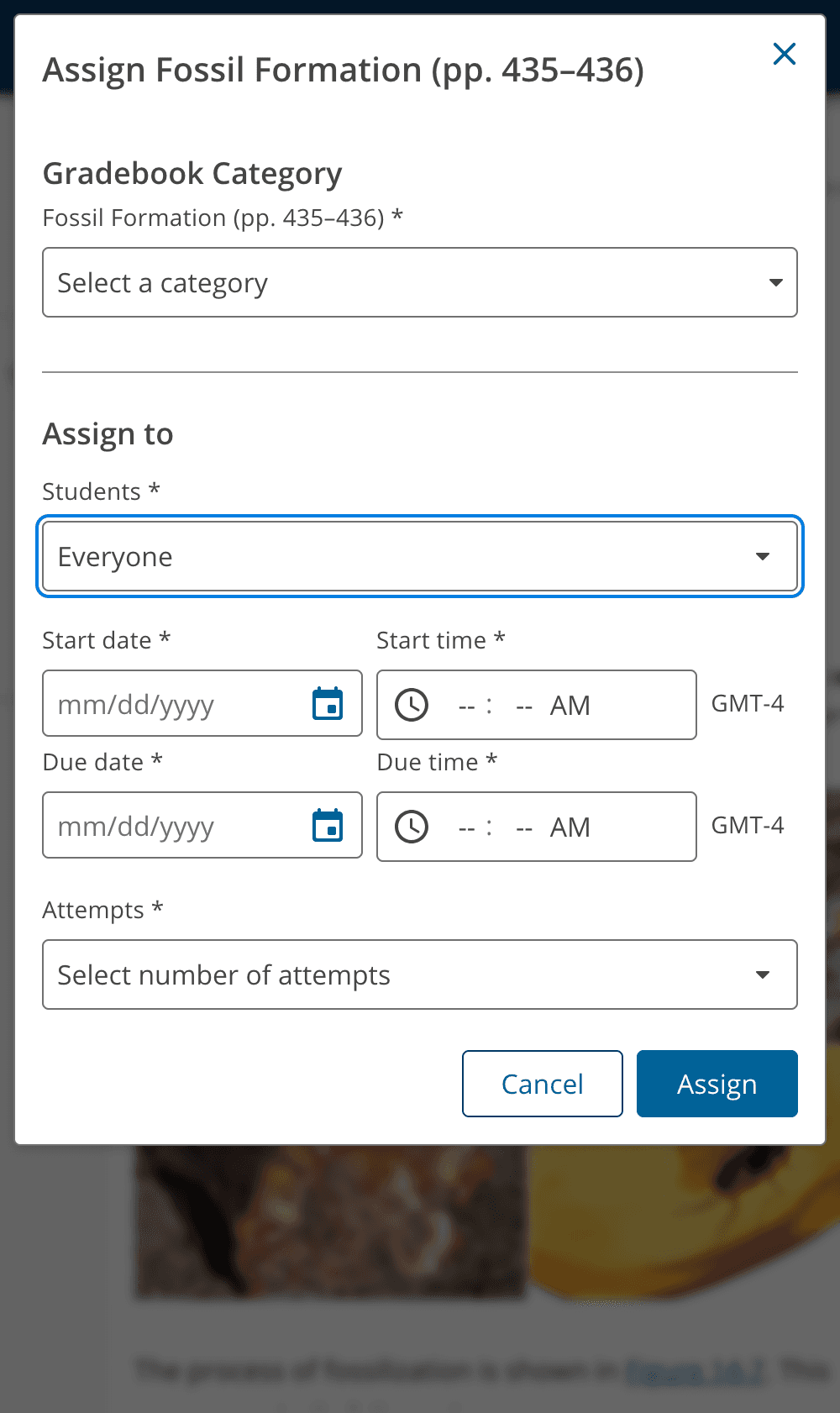
A screenshot of the final design in its intiail state that has gradebook categories on the left, and on the right has a dropdown to assign to every student, a start date and time, a due date and time, and number of attempts
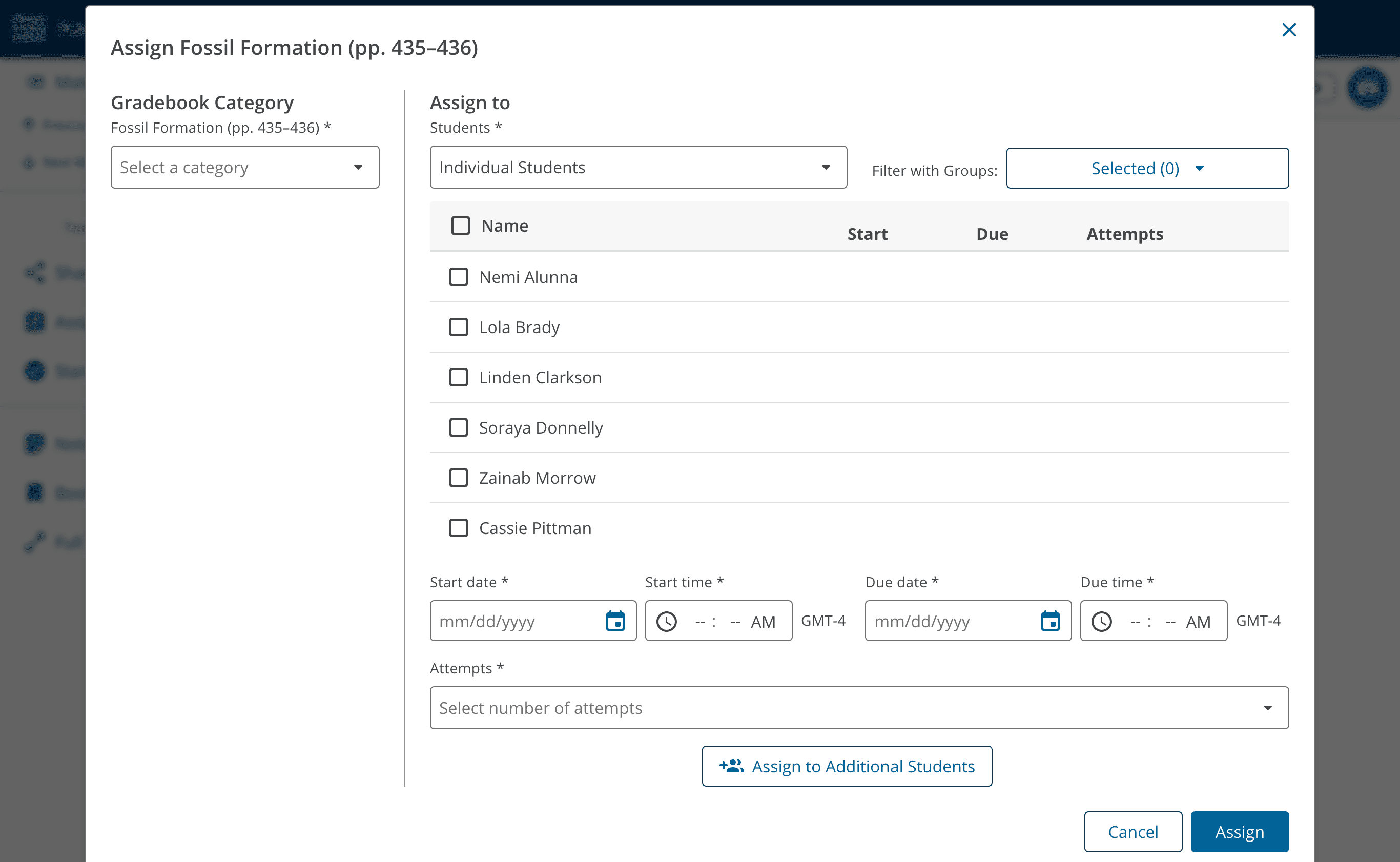
A screenshot of the final design in its intiail state that has gradebook categories on the left, and on the right has a dropdown that is selected to individual students showing a list of all students, a start date and time, a due date and time, and number of attempts
Screenshot of a mobile and accessibility-friendly layout of the default state of the workflow

Results

-50%

time on task

15

WCAG failures fixed

4.3/5

ease-of-use rating

-50%

time on task

15

WCAG failures fixed

4.3/5

ease-of-use rating

This is easier than Google Classroom!

Middle School Teacher

This is easier than Google Classroom!

Middle School Teacher

The redesigned flow now starts with full-class assignments (matching most teachers' workflows) while providing efficient tools for the 20% who need to assign different details to individual students.

Create a free website with Framer, the website builder loved by startups, designers and agencies.