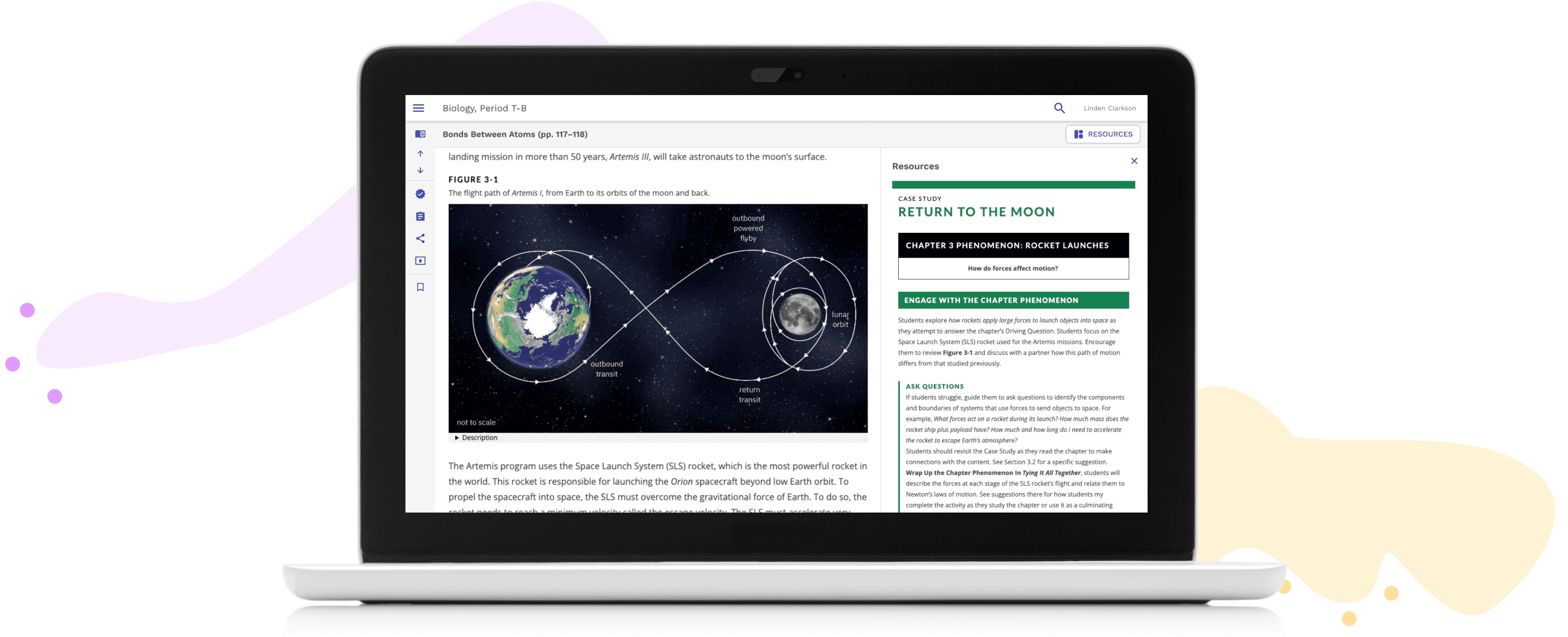
Overview
I inherited a navigation redesign that wasn't meeting teacher needs on National Geographic Learning's K-12 online platform
Through research and iterative testing, I realigned the platform's information architecture with how teachers actually work, creating a more intuitive content discovery experience
Full case study available upon request
ROLE
Lead User Experience Designer
RESPONSIBILITIES
End-to-end design
Cross-functional collaboration
TEAM
1 UX Designer, 1 UX Researcher, 1 Instructional Designer, 2 Product Managers
Approach
Benchmarking Analysis
Benchmarking revealed that teachers preferred student content first, contrary to earlier research, highlighting a clear opportunity to improve content discovery and better align teacher and student materials.
Testing Content & Navigation
I partnered with an Instructional Designer & UX Researcher to build interactive prototypes to test 2 options for content structure & 2 options for navigation.
Mirroring the structure in the print book led to a 5% increase in teacher success at finding content.
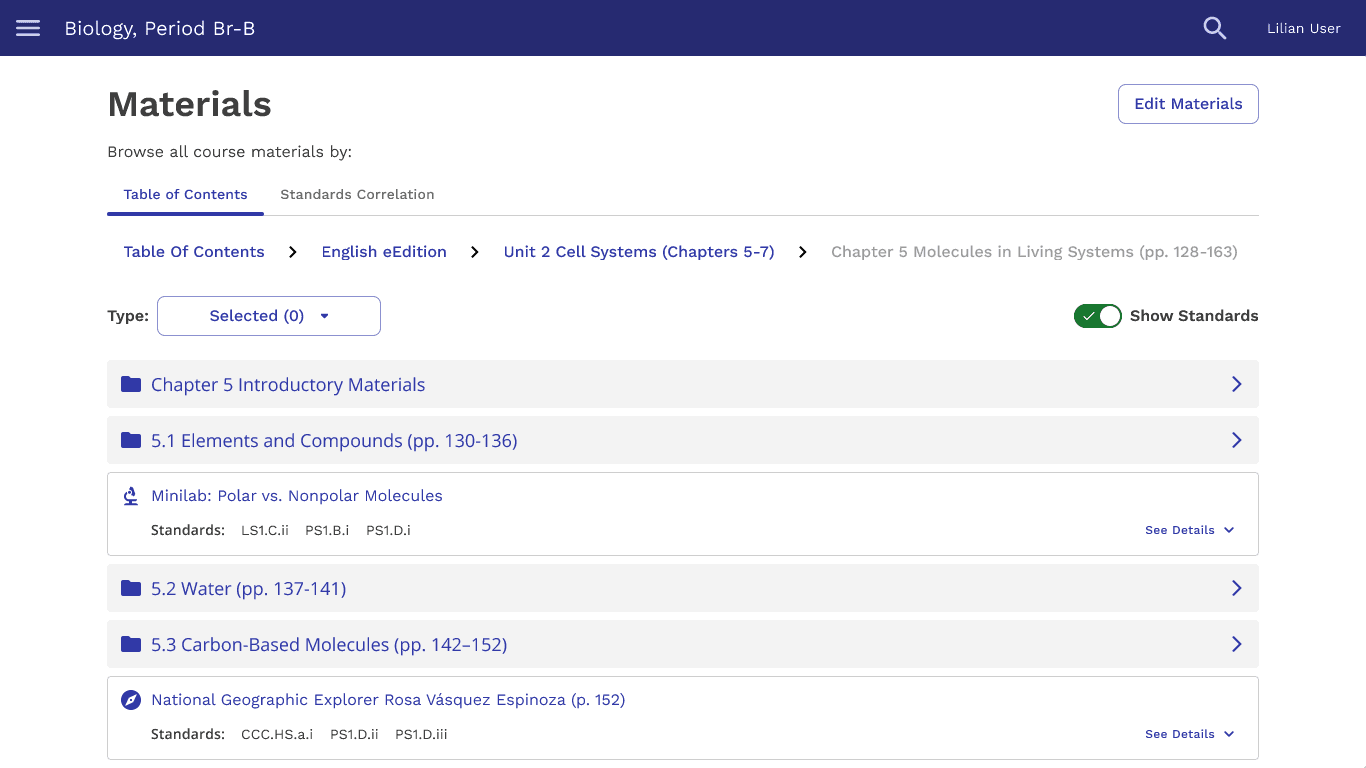
Book structure had a 58% success rate for finding content
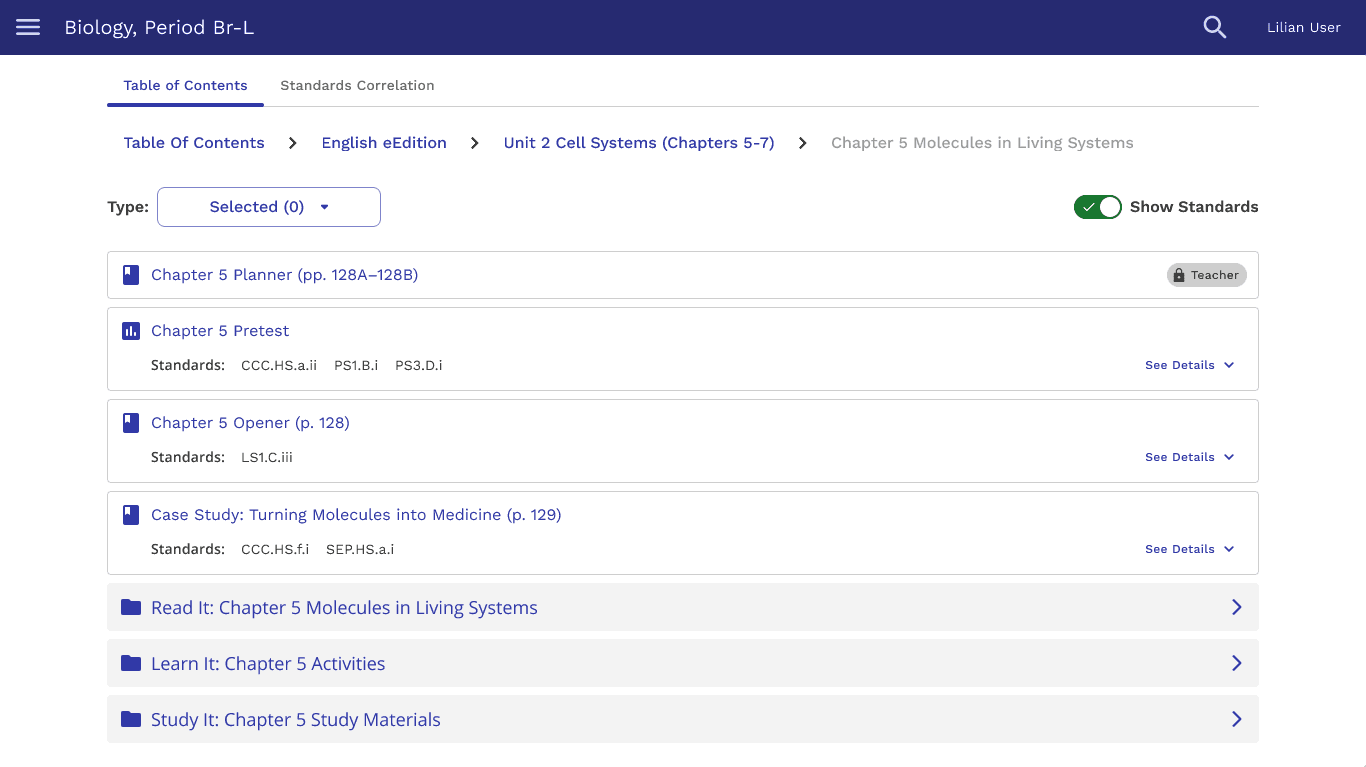
Learning purpose structure had a 53% success rate for finding content
Teachers were 27% more successful at finding content with a flatter navigation.
In the end, technical limitations and usability concerns led us to abandon this structure.
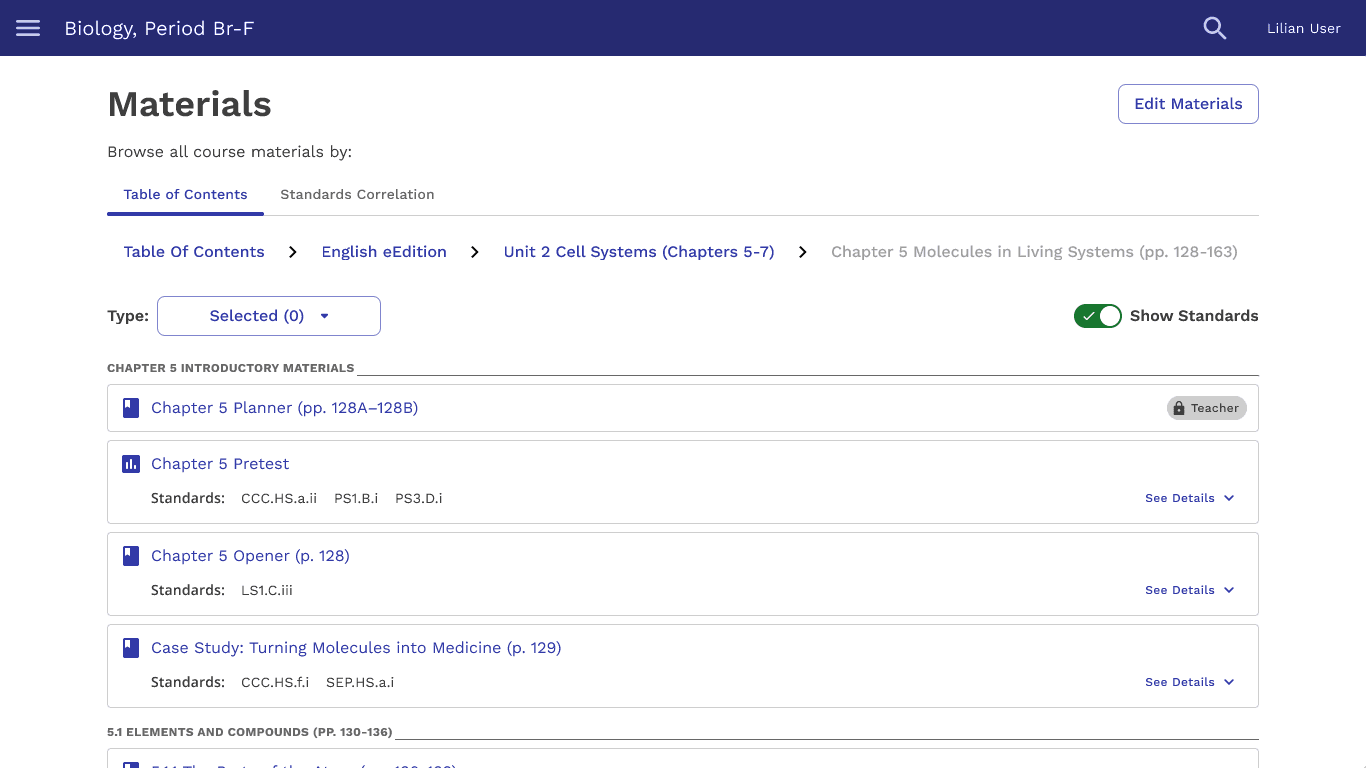
Flat navigation structure had an 85% success rate for finding content
Breadcrumb navigation structure had a 58% success rate for finding content
Testing Resource Findability
I designed a Resources button and side panel to bridge the teacher-student materials gap, but only 60% of teachers found it, indicating findability issues.
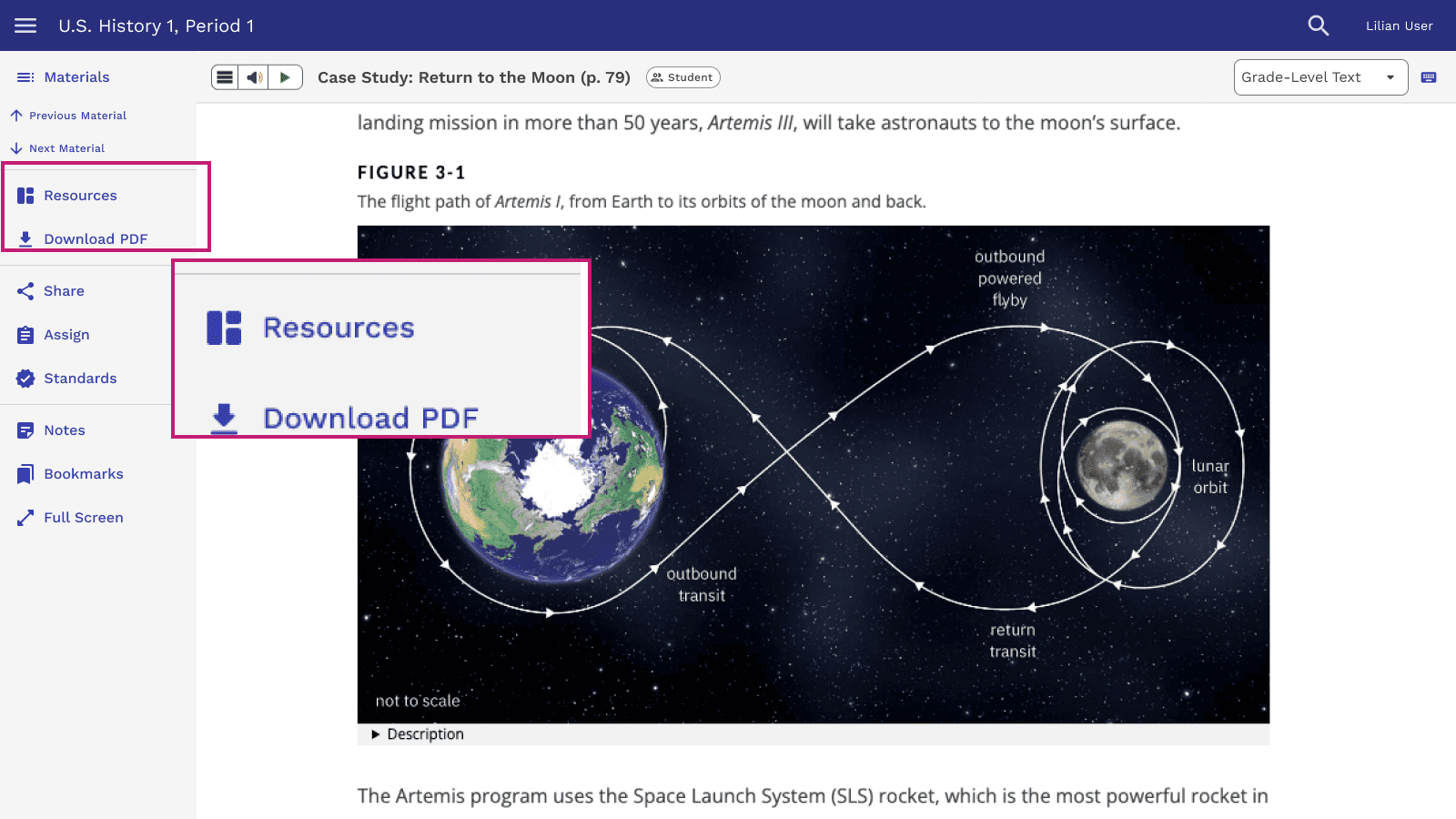
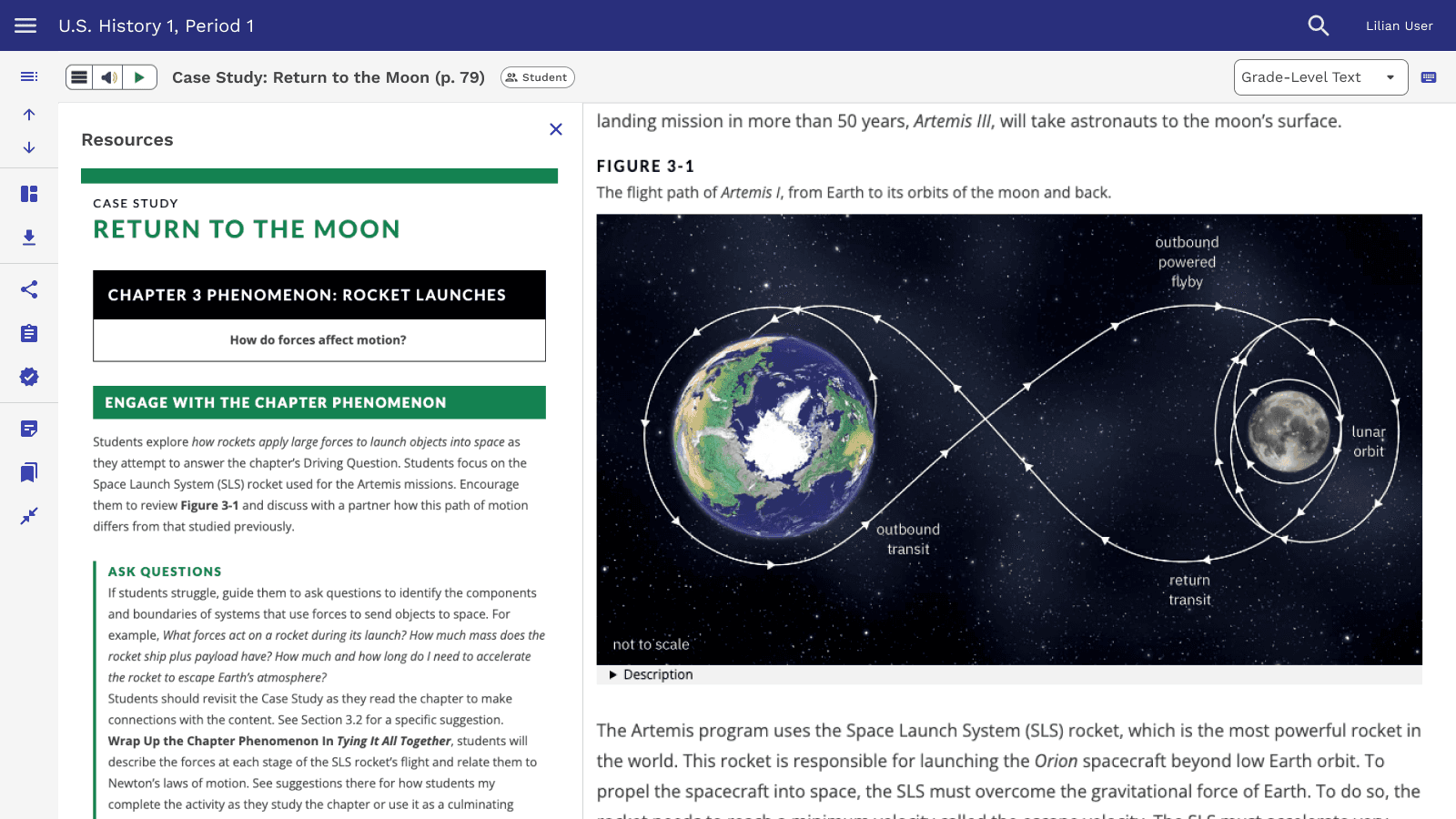
New Learning = New Perspectives
As part of my professional development, I completed a course in Object-Oriented UX (OOUX) fundamentals, which helped me see the platform and its content through a new lens.
THEME
Activity
KEY ATTRIBUTES
Name
Content
Type
Page Number
State/National Standards
KEY TEACHER ACTIONS
Assign
Review
KEY RELATIONSHIPS
Assigned to 0-M Students
Has 1-M Attempts
Has 0-M Resources
THEME
Resource
KEY ATTRIBUTES
Name
Content
Type
KEY TEACHER ACTIONS
Assign
Review
KEY RELATIONSHIPS
Associated to 1-M Activities
THEME
User
KEY ATTRIBUTES
Name
Content
Type
Page Number
State/National Standards
KEY TEACHER ACTIONS
Assign
Review
KEY RELATIONSHIPS
Student Assigned 0-M Activities
Student Granted 1-M Attempts
DEPENDENT OBJECT
Attempt
KEY ATTRIBUTES
Name
Content
Type
Page Number
State/National Standards
KEY TEACHER ACTIONS
Assign
Review
KEY RELATIONSHIPS
None because it's a dependent object
Testing Navigation Structures
I built 2 prototypes to test different information architecture models: a filtered view, inspired by eCommerce, and a hierarchical tree view.
Teachers were 90% more successful at finding content with a hierarchical tree view.
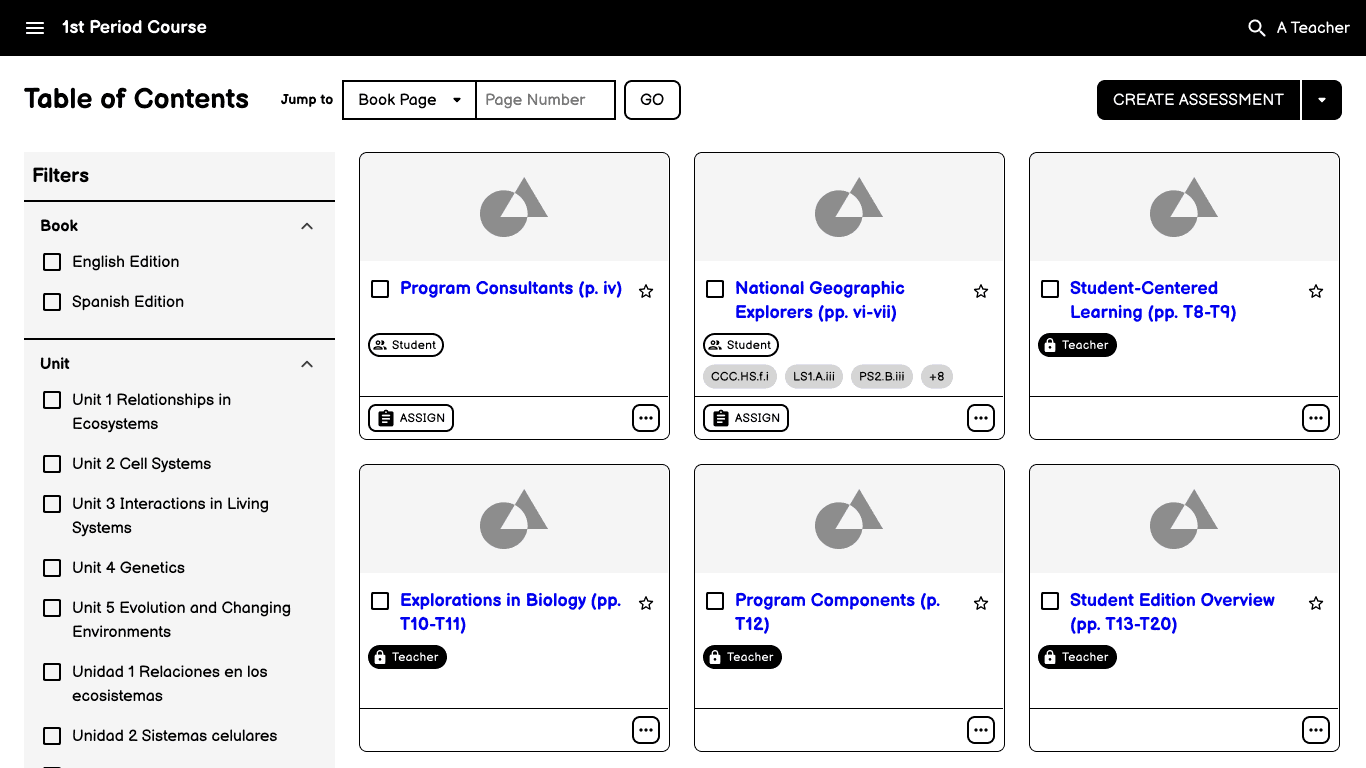
Filtered View Model that might not have happened without OOUX
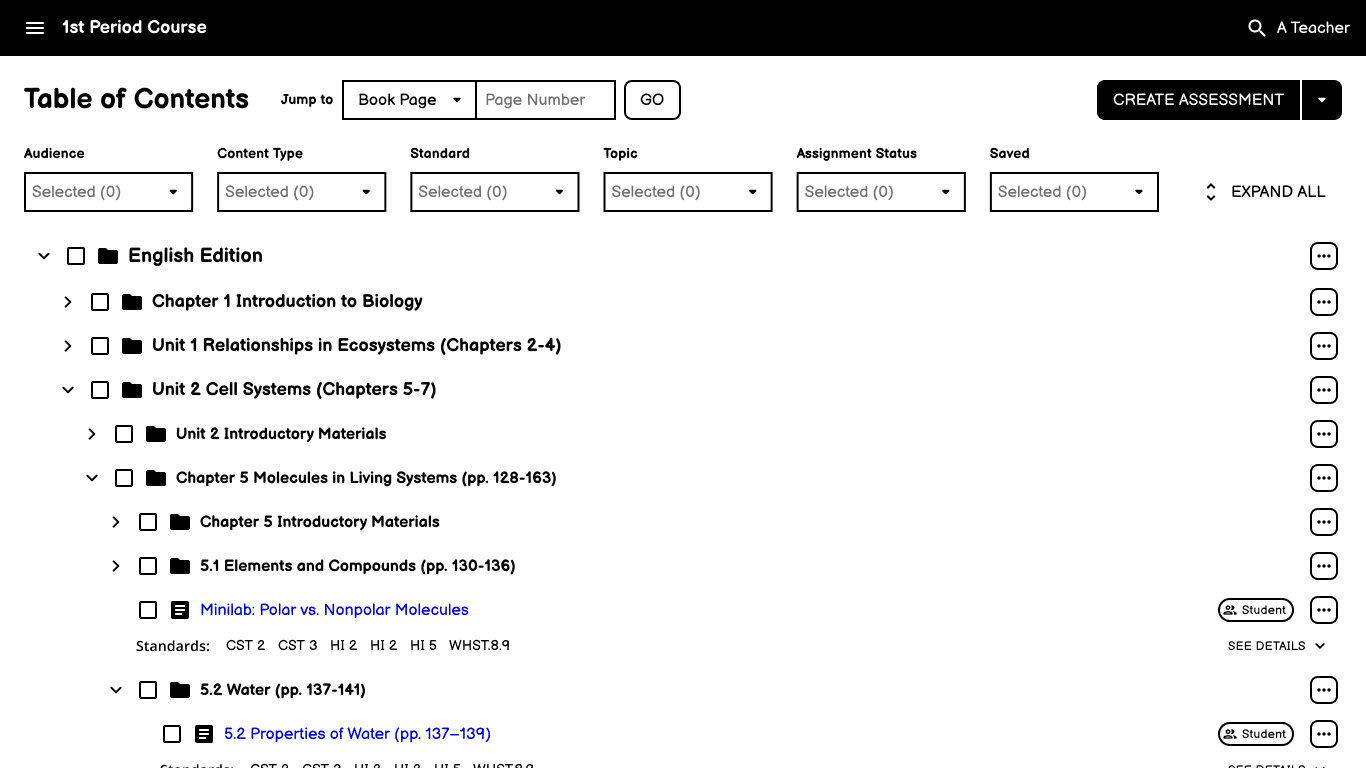
Hierarchical Tree View Model
Confirming Usability with New Tools
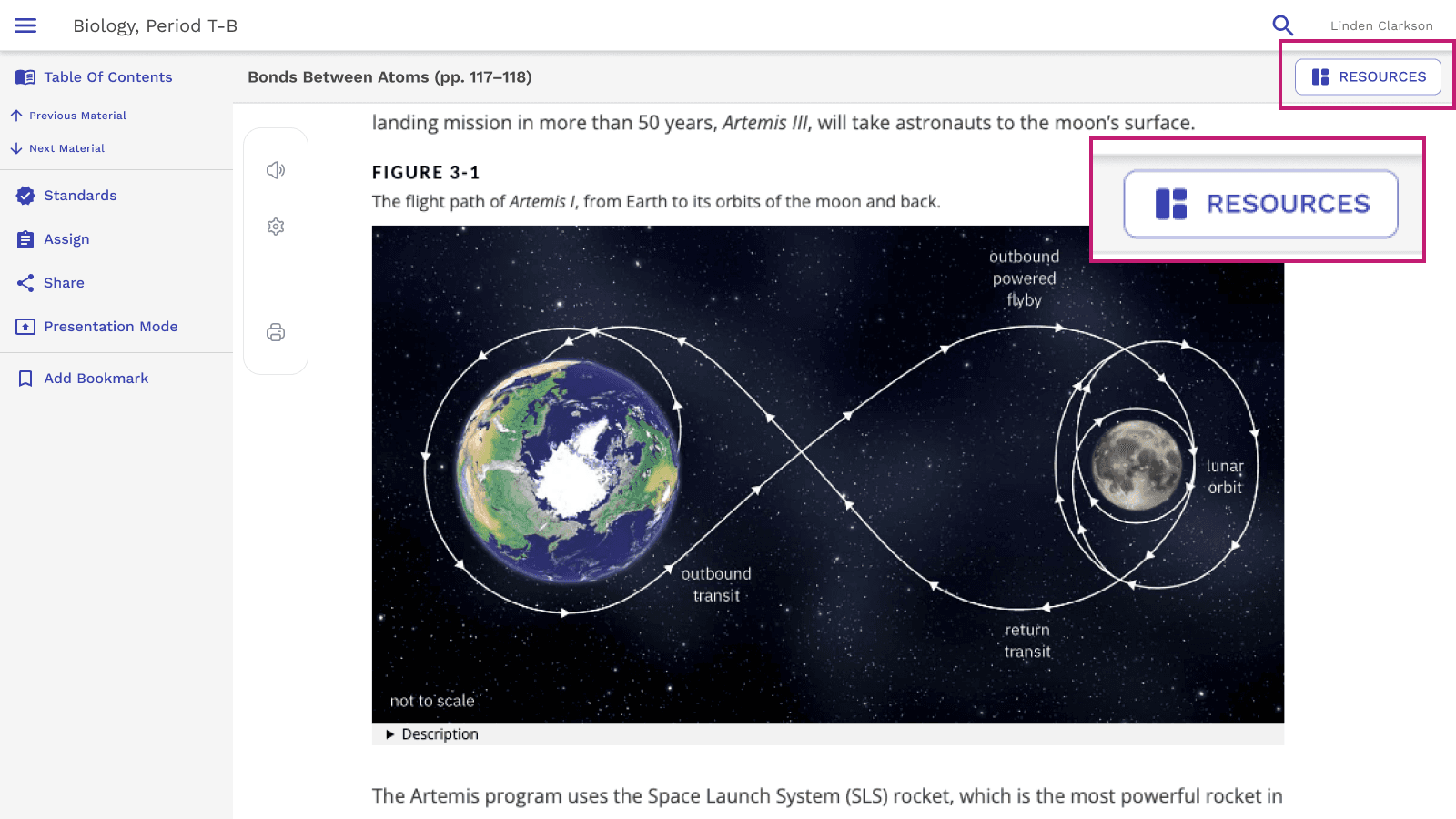
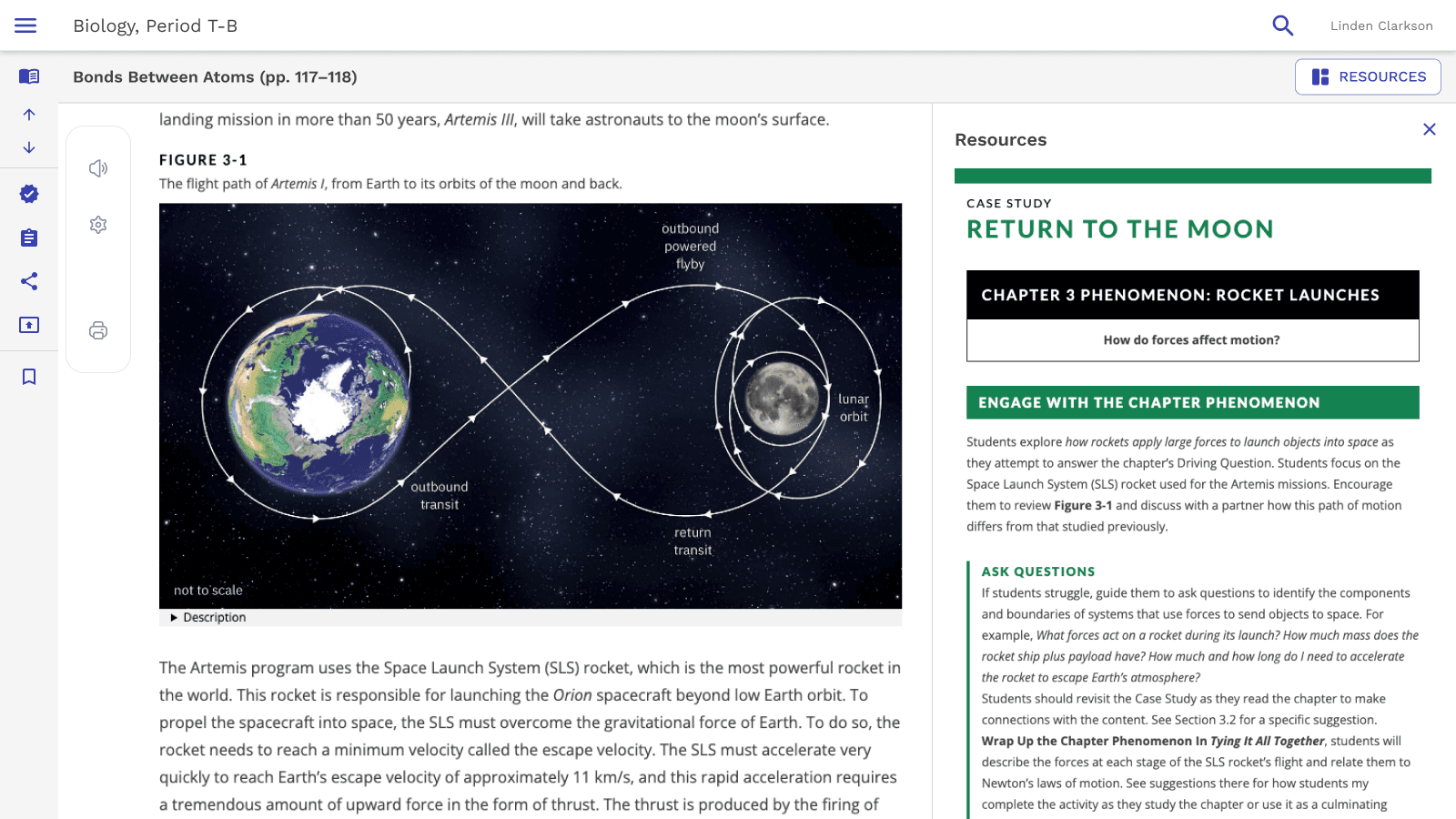
When a new reading experience was introduced, I created a high-fidelity prototype to evaluate its usability alongside a revised Resources button placement, which resulted in 100% success and improved functionality without impacting usability
Results
The final design successfully bridged the gap between teacher and student materials while maintaining the familiar textbook-based organization that educators rely on for curriculum planning
What I Learned
The OOUX framework provides a valuable way to rethink and clarify complex design problems
EdTech platforms aren't yet ready for eCommerce-style navigation patterns
Future Ideas
Had I stayed on the project, I would have:
Explored ways to streamline the multiple toolbars introduced by the new reading experience
Improved the alignment between the card that opens an activity and the activity itself, to reduce cognitive load and support smoother navigation